
Bookkeeping automation is defined as the use of software to handle repetitive, rule-based financial tasks without manual input. Practices that adopt it can save up to 90% of time on key processes and redirect 60% of their capacity towards advisory work. That shift is the engine behind sustainable practice growth. The industry term for this approach is workflow automation, and it sits at the heart of every modern bookkeeping firm that is scaling without hiring. This guide covers which tasks to automate first, which tools to use, how to implement repeatable workflows, and how to measure results.
How to grow your bookkeeping practice with automation
The core argument is straightforward. Automation frees your team from grunt work so you can take on more clients without adding headcount. Automation improves capacity, enabling firms to handle more clients without increasing staff, which boosts revenue without a proportional rise in costs. That is the growth model every bookkeeper should be building towards.
Workflow automation covers everything from receipt capture and bank feed imports to recurring transaction posting and invoice reminders. Each automated task removes a manual touchpoint from your day. Over a full client roster, those minutes compound into hours, and those hours become the capacity you need to grow.

The practices growing fastest are not the ones with the most staff. They are the ones with the most disciplined processes. Automation only delivers its full benefit when it runs inside a structured workflow that every team member follows consistently, not as a series of ad hoc fixes applied client by client.
Which bookkeeping tasks should you automate first?
Start with tasks that are high-volume, repetitive, and carry low risk to ledger accuracy. These are the processes where automation delivers the fastest return and the least downside if something goes slightly wrong.
The safest day-one automations include:
-
Receipt capture via OCR scanning tools that extract supplier, date, and amount from photos or PDFs
-
Bank transaction import using direct bank feeds rather than manual CSV uploads
-
Invoice reminders sent automatically at set intervals after a due date passes
-
Recurring transaction posting for fixed monthly costs like rent, subscriptions, and payroll journals
-
Exception flagging that surfaces transactions outside normal patterns for human review
Receipt capture, invoice reminders, and exception flagging are among the safest day-one automations because they do not affect ledger judgement directly. That matters. You are not asking software to decide whether a £4,200 payment to a supplier is a capital expense or a revenue cost. You are asking it to pull the data in and flag anything unusual.
Once these basics run reliably, you can extend automation to bank reconciliation matching, aged debtor reporting, and month-end checklists. Each layer builds on the last.
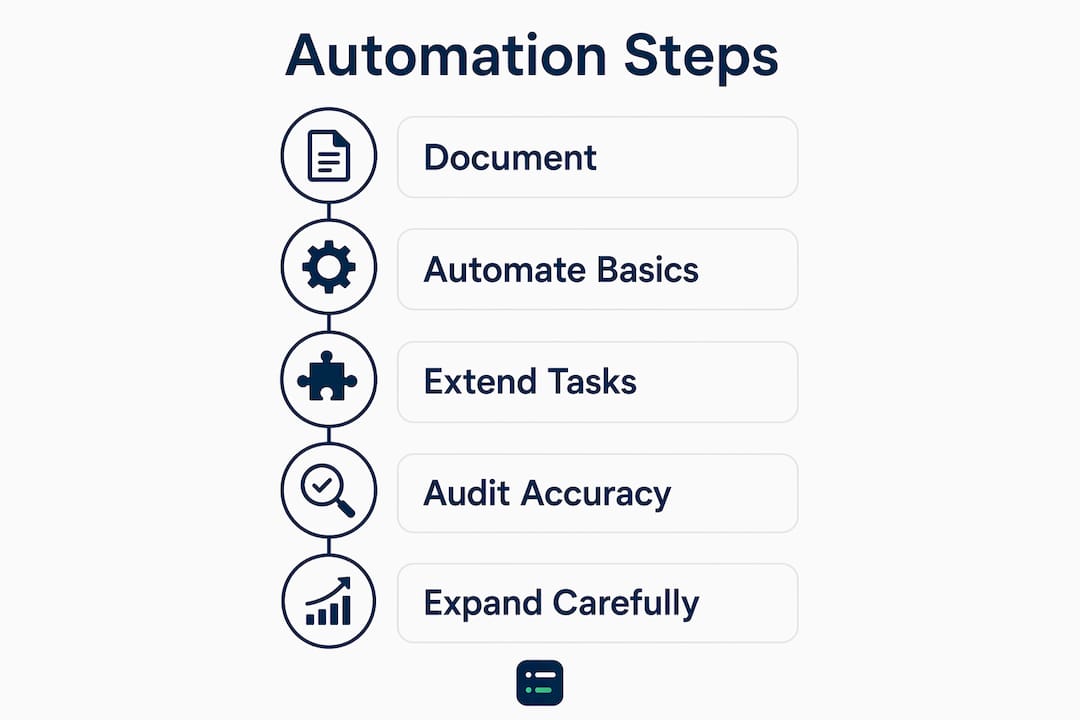
Pro Tip: Before automating any task, document the manual version of that process first. If you cannot describe it in five steps or fewer, the process itself needs tidying before software can handle it reliably.
What tools support bookkeeping automation effectively?
Bookkeeping automation tools fall into four broad categories. Understanding what each layer does helps you build a stack that covers the full workflow rather than patching individual pain points.
| Feature category | What it does | Best suited for |
|---|---|---|
| Cloud accounting platform | Hosts the ledger, bank feeds, and client data in one place | All practice sizes |
| OCR and document extraction | Reads receipts, invoices, and statements and converts them to structured data | High document volume clients |
| AI categorisation engine | Suggests transaction categories based on learned patterns | Practices with large transaction volumes |
| Recurring transaction rules | Posts fixed entries automatically on a set schedule | Clients with predictable monthly costs |
| Exception and review queues | Flags low-confidence transactions for human sign-off | Any practice using automated categorisation |
The most important distinction in this stack is between static rule-based categorisation and pattern-learning categorisation. Static rules say “if the payee name contains ‘Tesco’, categorise as Groceries.” Pattern-learning tools go further. Automation tools using pattern-learning improve categorisation rates over static bank rules by adapting dynamically to transaction variations. A payee name that changes slightly each month, or a supplier that invoices across multiple categories, will confuse a static rule but not a trained model.
Most tools achieve 70 to 85% first-import categorisation accuracy. That figure sounds high, but it means 15 to 30% of transactions still need a human decision. Build your workflow around that reality rather than assuming the software will handle everything.
Pro Tip: Audit your categorisation accuracy quarterly. If your tool’s hit rate is dropping below 70%, your rules or training data need refreshing. Stale rules are one of the most common causes of messy books.
The AI Ledger’s tool directory lists and compares automation tools across these feature categories, which makes it easier to identify gaps in your current stack without spending hours on vendor websites.
How to implement automation workflows step-by-step
A repeatable automation workflow has four stages. Follow them in order and you build a system that scales as your client roster grows.
-
Centralise document intake. Set up a single email address or client portal where all receipts, invoices, bank statements, and payroll files arrive. Centralising all client document intake into a single channel is a prerequisite for effective automation. Without it, documents arrive via WhatsApp, email, post, and text message, and no automation tool can reliably catch all of them.
-
Connect bank feeds and set up extraction. Link all client accounts to your cloud accounting platform via direct bank feeds. Configure your OCR tool to process the intake channel automatically and push extracted data into the ledger.
-
Configure categorisation rules and review queues. Set up your AI categorisation engine with an initial rule set, then create a review queue for any transaction below a confidence threshold. Assign a team member to clear that queue daily or every two days.
-
Document the workflow and assign ownership. Write down every step, name the person responsible for each stage, and set a standard turnaround time. Automation built as disciplined, repeatable workflows across all clients scales practice growth better than scattered manual fixes.
Once the workflow is live, run a parallel check for the first two weeks. Compare automated outputs against what you would have done manually. This surfaces miscategorised transactions early, before they compound into a reconciliation problem.
The following checks keep the workflow healthy after go-live:
-
Weekly: clear exception queues and review flagged transactions
-
Monthly: reconcile all accounts and check categorisation accuracy rates
-
Quarterly: audit rules, remove outdated entries, and retrain the categorisation engine if accuracy has dropped
What automation mistakes hold bookkeeping practices back?
The most common mistake is treating automation as a “set and forget” system. Software does not manage itself. Rules go stale, bank feed connections drop, and new transaction types appear that no existing rule covers.
Overreliance on automation without human review leads to messy books that are harder to fix and erodes client trust. The last mile of categorisation, handling ambiguous transactions, still demands human oversight. Fully trusting software without review risks significant book errors that take far longer to correct than the time the automation saved.
A second mistake is chasing 100% automated categorisation. Most automation tools achieve 70 to 85% accuracy on first import. The remaining transactions are genuinely ambiguous, and no tool resolves ambiguity correctly every time. Build your process around a human review queue rather than trying to eliminate it.
Other pitfalls to avoid:
-
Skipping workflow standardisation. If each team member handles automation differently, errors compound and no one can audit the process reliably.
-
Automating a broken process. Automation amplifies whatever process it runs on. A messy manual workflow becomes a messy automated one, just faster.
-
Neglecting rule maintenance. Outdated categorisation rules produce incorrect entries. Schedule a quarterly rule review as a fixed calendar item.
-
Ignoring client-specific exceptions. Some clients have unusual transaction patterns. Flag these in your workflow documentation so the team knows not to rely on default rules for those accounts.
How do you measure and expand automation success?
Measuring automation impact starts with three numbers: hours saved per client per month, transaction volume processed without manual input, and client throughput per team member. Track these monthly and you will see clearly where automation is working and where bottlenecks remain.
| Metric | What to track | Why it matters |
|---|---|---|
| Hours saved per client | Manual time before vs. after automation | Shows direct capacity gain |
| Auto-categorisation rate | Percentage of transactions categorised without human input | Indicates tool health and rule quality |
| Exception queue clearance time | Average time to clear flagged transactions | Reveals workflow bottlenecks |
| Client throughput | Clients handled per team member per month | Measures scalability of the practice |
Dashboards inside your cloud accounting platform or practice management tool surface this data without manual reporting. Use them to identify which clients generate the most exceptions and whether that points to a data quality issue or a gap in your rule set.
Expand automation carefully. Add one new layer at a time, verify it runs cleanly for four weeks, then move to the next. Rushing to automate everything at once creates multiple failure points simultaneously, which makes diagnosis difficult.
Pro Tip: Set a capacity baseline before you start automating. Record how many clients your team handles today and how many hours each client takes. Without that baseline, you cannot prove the return on your automation investment six months later.
Human judgement stays essential for reporting delivery, tax position decisions, and any transaction where context matters. Automation handles the volume. Your team handles the judgement calls.
Key takeaways
Automation delivers measurable practice growth only when it runs inside a structured, human-supervised workflow that all team members follow consistently.
| Point | Details |
|---|---|
| Start with safe tasks | Automate receipt capture, bank feeds, and invoice reminders before touching categorisation. |
| Use pattern-learning tools | Pattern-learning categorisation outperforms static rules for practices with varied transaction types. |
| Centralise document intake | A single intake channel is a prerequisite for any automation to work reliably at scale. |
| Maintain human review queues | Expect 15 to 30% of transactions to need human input and build that into your daily workflow. |
| Measure capacity, not just time | Track client throughput per team member to see whether automation is actually enabling growth. |
Automation is a process problem, not a software problem
I have watched practices buy excellent automation tools and see almost no benefit within six months. The software was not the issue. The workflow was. Every time, the root cause was the same: automation had been bolted onto an inconsistent manual process rather than replacing a documented one.
The practices that grow with automation share one habit. They standardise before they automate. They write down the process, agree on who owns each step, and only then introduce software to handle the repetitive parts. That sequence feels slower at the start. It pays back quickly.
The other thing I would push back on is the idea that automation is primarily about cost reduction. The real prize is capacity. When your team is not keying in source documents or chasing receipts, they can take on more clients, deliver faster turnaround, and spend time on the work that actually builds client relationships. That is where practice revenue grows.
Automation is not a magic bullet. It is a multiplier. If your underlying process is sound, automation makes it faster and more consistent. If your process is fragmented, automation makes the fragmentation harder to see and harder to fix. Start with the process. The tools follow.
, Aaron
Which tools do bookkeeping practices use to automate the work?
Most practices automate in the same order: capture first, then categorisation and reconciliation, then the client chasing that eats evenings. As of October 2026, these are among the highest-scored tools in The AI Ledger directory for each step:
-
Data capture: Dext (an editor score of 4.7 out of 5) and AutoEntry (4.4) pull receipts, invoices and statements into Xero, QuickBooks or Sage.
-
Categorisation and reconciliation: Booke AI (4.0) works inside Xero or QuickBooks Online to code transactions and flag the ones it is unsure about.
-
Practice workflow: Karbon (4.4) and Financial Cents (4.3) run recurring jobs, deadlines and the client inbox in one place.
-
Credit control: Chaser (4.8) automates invoice chasing by email, SMS and phone.
Compare every scored option in the data entry and receipts, bank reconciliation and client communications categories.
How can The AI Ledger help you choose a tool?
The AI Ledger is an independent directory of AI tools for accountants and bookkeepers, not a software product. Every listing has an editor score, a sceptical review and the date it was last checked against the vendor's own site, and no vendor can pay for a higher score. Browse the directory, put two tools side by side on the compare page, or answer three questions in the tool finder for a shortlist that fits your ledger and practice size.
FAQ
What is bookkeeping automation?
Bookkeeping automation is the use of software to handle repetitive financial tasks such as bank feed imports, receipt capture, and transaction categorisation without manual input. It frees accounting professionals to focus on higher-value advisory and client work.
Which bookkeeping tasks should I automate first?
Receipt capture, bank transaction imports, invoice reminders, and exception flagging are the safest starting points. These tasks do not affect ledger judgement directly and deliver fast efficiency gains with low risk.
How accurate is automated transaction categorisation?
Most automation tools achieve 70 to 85% categorisation accuracy on first import. The remaining transactions require human review, so building a daily exception queue into your workflow is standard practice.
Why do automation projects fail in bookkeeping practices?
The most common cause is automating an inconsistent or undocumented manual process. Automation amplifies whatever workflow it runs on, so standardising the process before introducing software is the critical first step.
How do I measure whether automation is growing my practice?
Track hours saved per client, auto-categorisation rate, exception queue clearance time, and client throughput per team member. These four metrics show whether automation is genuinely increasing your capacity to take on more clients.