A well-designed fixed asset management workflow moves every asset through five governed stages: planning, acquisition, operation, maintenance and disposal. Each stage has defined owners, required evidence and a reconciliation point. The three actions to take this week are: agree a scope boundary (which asset classes and sites are in scope), take a data snapshot from your current register or ERP subledger, and assign a named custodian to each asset class. Those three steps prevent the two most common failure modes before the project even starts.
The asset lifecycle is not a new idea, but most UK finance teams still run it as a series of disconnected spreadsheets rather than a repeatable, auditable process. The sections below give you the implementation roadmap, data migration checklist, RACI, controls framework and automation guidance to change that.
Key takeaways
A governed fixed asset management workflow requires five lifecycle stages, a data migration with reconciliation at every gate, and audit-ready controls from day one.
| Point | Details |
|---|---|
| Five-stage lifecycle | Plan, acquire, operate, maintain and dispose, each with named owners and required evidence outputs. |
| Data migration discipline | Profile, clean, lock and reconcile in three directions before cutover; poor data quality is the top cost driver. |
| Audit-ready controls | Role-based access, approval workflows, read-only audit trail and physical verification evidence are the minimum set. |
| Realistic timeline | A medium-sized UK programme typically takes several months from scoping to the end of hypercare, with contingency time to be considered based on complexity. |
| The AI Ledger | Use the 30-second tool finder at ailedger.uk to shortlist automation tools that match your ERP and workflow tasks. |
Table of Contents
- What does a fixed asset management workflow actually cover?
- The five-stage fixed asset lifecycle and what each stage produces
- How does the implementation process flow from scope to go-live?
- Who owns what? Roles, responsibilities and a sample RACI
- What data do you need to migrate, and how do you map it?
- Which systems need to connect, and how?
- Are your controls and audit trail strong enough?
- What goes wrong in implementations, and how do you fix it?
- How long does implementation take, and what drives the cost?
- How can automation and AI accelerate your fixed asset workflow?
- Go-live checklist and your 30–90 day post-live playbook
- An editorial note on what actually matters here
- Find the right automation tools for your fixed asset workflow
- Sources
What does a fixed asset management workflow actually cover?
A structured, repeatable asset management workflow tracks every asset from the moment a capital request is raised through to disposal and derecognition in the ledger. The workflow is not just a data import or a tagging exercise. It is a governed process with approval gates, evidence requirements and reconciliation checkpoints at every stage.
For UK finance teams, the workflow must also satisfy IAS 16 recognition and depreciation rules, internal audit expectations, and, where applicable, UK GAAP differences under FRS 102. Getting the workflow right from the start means auditors find what they expect, and the register does not drift between physical counts.
The five-stage fixed asset lifecycle and what each stage produces
The fixed asset lifecycle comprises five sequential stages. Each has a primary owner, a set of activities and a tangible output that feeds the next stage.
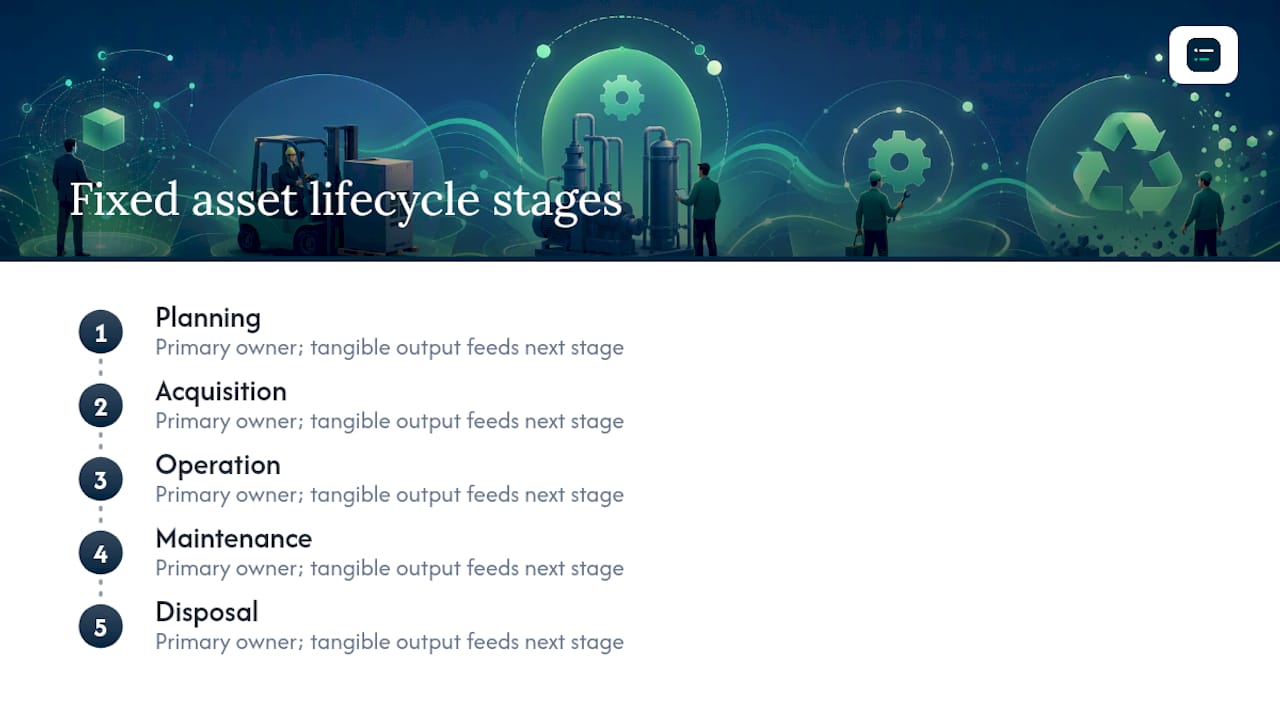
Stage 1: Planning
Owner: Finance and procurement jointly.
Activities include capital expenditure appraisal, budget approval, asset class determination, capitalisation threshold check and project charter sign-off. The output is an approved capex request with a confirmed asset class, estimated useful life and depreciation method.
KPI tracking starts here: budget versus actual commitment, approval cycle time.
Stage 2: Acquisition
Owner: Procurement, with finance sign-off.
Activities cover purchase order creation, goods receipt, vendor invoice matching and the creation of the asset record in the fixed asset register (FAR). The output is a signed vendor contract or PO, a goods receipt note, a verified asset record with a unique asset ID, and a physical tag applied at the point of delivery.
Stage 3: Operation
Owner: Site custodian or operations manager.
The asset is in productive use. Activities include location confirmation, custodian assignment, insurance notification and the start of depreciation posting. The output is a confirmed, active asset record with a depreciation schedule and a custodian on record.
Stage 4: Maintenance
Owner: Maintenance or facilities, with operations oversight.
Activities include scheduled and reactive maintenance, condition assessments, component replacements and capitalisation decisions for major overhauls. The output is a maintenance log, updated condition rating and, where applicable, a revised net book value following a capitalised improvement.

KPI tracking is most active here: mean time between failures, maintenance cost as a percentage of replacement value, and planned versus reactive maintenance ratio.
Stage 5: Disposal
Owner: Finance, with operations and procurement input.
Activities cover disposal authorisation, physical removal, derecognition from the FAR, proceeds recording and any gain or loss calculation. The output is a disposal pack: signed disposal authorisation, evidence of physical removal or sale, derecognition journal and updated register.
How does the implementation process flow from scope to go-live?
The implementation of a fixed asset management workflow follows a linear sequence with hard decision gates. AssetCues' process flow guidance is clear on this point: treating a rollout as a simple data import is the single most common reason implementations fail. Migration controls, evidence capture and an exception workbench must be planned from day one.
The implementation sequence
- Scope and owners. Define which asset classes, sites and legal entities are in scope. Agree a named owner for each. Produce a scope sign-off document.
- Inventory source systems. List every system holding asset data: ERP subledger, spreadsheets, CMMS, ITAM tools. Identify the authoritative source for each field.
- Data profiling and gap analysis. Profile source data for completeness, duplicates and field mismatches. Produce a gap report.
- Data cleaning and normalisation. Resolve duplicates, fill mandatory fields, standardise descriptions and location codes. Lock the cleaned extract.
- Tag and ID design. Agree the asset ID format, tag type (barcode, QR, RFID) and labelling convention. Order hardware.
- System configuration. Configure asset classes, depreciation methods, approval workflows and role-based access in the target system.
- Integration build and test. Build and unit-test interfaces to ERP, CMMS and procurement systems.
- Pilot. Run a controlled pilot on one site or asset class. Validate data, integrations and user workflows.
- Pilot approval gate. Finance sign-off on reconciled counts and net book values. IT sign-off on interface stability. Go/no-go decision documented.
- Physical verification. Scan or photograph assets on site. Reconcile physical count to migration extract. Resolve exceptions.
- Cutover. Freeze source data, run final migration load, post opening balances, activate user access.
- Post-live reconciliation. Reconcile FAR to ERP subledger on day one. Confirm depreciation run. Produce reconciliation report.
- Hypercare. Triage exceptions daily for 30 days. Close backlog. Monitor KPIs.
Pro Tip: Lock the migration extract before physical verification begins. Any changes to the source data after the extract is locked must go through a formal exception log, not a direct edit. This single discipline prevents the register from being out of sync on day one.
Evidence requirements at each gate
- Scope sign-off: signed scope document, list of in-scope asset classes and sites.
- Data acceptance: profiling report, gap analysis, cleaning log, reconciliation of record counts to source.
- Pilot approval: reconciled count report, net book value comparison, interface test results, user acceptance sign-off.
- Go/no-go: all pilot defects resolved or risk-accepted, final migration reconciliation, access provisioning confirmed.
- Post-live reconciliation: FAR-to-subledger reconciliation report, depreciation run confirmation, disposal pack for any assets removed during cutover.
Who owns what? Roles, responsibilities and a sample RACI
Clear accountability is what makes a fixed asset management workflow enforceable. Without it, assets get created without tags, transfers happen without approvals, and disposals sit in a backlog for months.
Core roles
- Fixed asset manager: owns the register, approves creation and disposal transactions, runs periodic verifications.
- Finance owner: owns accounting policy, capitalisation thresholds, depreciation parameters and period-end reconciliation.
- IT/system owner: owns system configuration, access provisioning, interface monitoring and data integrity.
- Site custodian: responsible for physical custody, location accuracy and reporting transfers or losses.
- Procurement: raises POs, confirms goods receipt, triggers asset creation workflow.
- Operations/maintenance: logs maintenance activity, flags condition changes, requests disposals.
- Internal auditor: reviews controls, tests samples, confirms evidence quality.
Sample RACI matrix
| Event | Fixed Asset Manager | Finance Owner | IT/System Owner | Site Custodian | Procurement | Auditor |
|---|---|---|---|---|---|---|
| Asset creation | A | C | C | I | R | I |
| Physical tagging | R | I | I | A | C | I |
| Asset transfer | A | I | I | R | I | I |
| Periodic verification | R | A | C | C | I | C |
| Disposal authorisation | C | A | I | R | C | I |
| Period-end reconciliation | R | A | C | I | I | C |
R = Responsible, A = Accountable, C = Consulted, I = Informed
Governance checklist
- Capitalisation threshold documented and approved by the board or finance committee (a typical UK threshold is set by policy depending on asset class, with a general range applied).
- Annual review of capitalisation thresholds and depreciation rates scheduled.
- Approval matrix published: who can approve creation, transfer and disposal at each value band.
- Policy owner named and review date set.
- Segregation of duties (SoD) enforced: the person who creates an asset record cannot also approve its disposal.
- SoD override process documented: named approver, evidence required, expiry date on the override.
COSO's internal control guidance provides a useful framework for designing these control objectives and monitoring activities, particularly for SoD and exception handling.
What data do you need to migrate, and how do you map it?
Data migration is where most fixed asset programmes either succeed or quietly fall apart. The target register needs a minimum set of controlled fields to be useful from day one.
Mandatory target fields
| Target Field | Source Field (typical) | Transformation Rule |
|---|---|---|
| Asset ID | Legacy asset number | Reformat to new ID convention |
| Asset description | Description / name | Standardise to agreed naming convention |
| Asset class | Category / type code | Map to new class hierarchy |
| Acquisition cost | Original cost / purchase price | Confirm currency; split components if required |
| Acquisition date | Purchase date / capitalisation date | Normalise to ISO date format |
| Accumulated depreciation | Accum. dep. / NBV calculation | Recalculate if method changes |
| Net book value | NBV | Derived: cost minus accumulated depreciation |
| Depreciation method | Method code | Map to system codes (SL, DB, etc.) |
| Useful life (years) | Useful life / remaining life | Confirm remaining life at migration date |
| Location code | Site / building / room | Map to new location hierarchy |
| Custodian | Owner / responsible person | Map to HR employee ID |
| Disposal flag | Status | Active / disposed / under review |
Migration checklist
- Profile source data: count records, identify nulls, flag duplicates.
- Agree mandatory field completion targets before migration proceeds.
- Clean and normalise: resolve duplicates, fill gaps, standardise codes.
- Lock the migration extract with a date and version stamp.
- Run a staged load into a test environment; reconcile record counts.
- Reconcile migration extract totals (cost, accumulated depreciation, NBV) to the approved accounting subledger.
- Resolve exceptions in the exception workbench; document each resolution.
- Physical verification: scan a statistically representative sample of assets on site before cutover.
- Run the production load; reconcile again immediately after.
- Obtain finance sign-off on the post-load reconciliation before activating user access.
Asset tracking requires both financial fields (acquisition cost, depreciation method) and operational fields (location, condition, maintenance history). Keeping these in separate systems without an integration creates duplicate records and forces manual reconciliation at every period end.
Pro Tip: Reconcile in three directions: record count (source versus target), cost total (source versus target), and NBV total (target versus accounting subledger). A count match with a value mismatch usually means a component split or a currency conversion error buried in the data.
Which systems need to connect, and how?
A fixed asset management workflow does not live in a single system. For most UK finance teams, the data spans at least three platforms, and the integration design determines how much manual reconciliation you carry forever.
Typical integration targets
- ERP (finance): SAP S/4HANA, Oracle Fusion, Microsoft Dynamics 365, Sage Intacct, or Sage 200 for mid-market UK organisations. The ERP holds the accounting subledger, depreciation postings and period-end journals. It is the system of record for financial values.
- EAM/CMMS (maintenance): Holds maintenance schedules, work orders, condition ratings and maintenance cost history. Asset lifecycle management decisions depend on this data being linked to the financial record.
- ITAM/CMDB (IT assets): Tracks hardware and software assets, licence entitlements and configuration items. For IT-heavy organisations, the CMDB is the operational source of truth for IT fixed assets.
- Procurement/P2P: The purchase order and goods receipt trigger asset creation. Without an automated handoff, asset records are created late or not at all.
- HR: Custodian changes follow employee moves. An HR integration prevents orphaned assets with no named custodian.
Integration patterns
- Master-data sync: A nightly batch pushes location codes, cost centre hierarchies and custodian lists from the ERP to the asset system. Simple and reliable for reference data.
- Event-driven updates: An asset transfer or disposal in the operational system triggers a real-time update to the ERP subledger. Reduces lag but requires robust error handling.
- Nightly batch reconciliation: The asset system and ERP exchange record counts and value totals overnight. Exceptions are surfaced in a reconciliation dashboard each morning.
- API-led near real-time sync: For organisations with high transaction volumes or multiple sites, an API layer (MuleSoft, Azure Integration Services, or similar) routes events between systems with sub-minute latency.
For a practical overview of accounting software integration patterns and testing considerations, the linked guide covers the technical and governance steps in more depth.
Integration testing checklist
- Unit test each interface in isolation with synthetic data.
- Test error handling: what happens when the target system is unavailable?
- Confirm that rejected records surface in an exception queue, not a silent failure log.
- Run an end-to-end test from PO creation through to depreciation posting.
- Confirm reconciliation reports balance before go-live.
Are your controls and audit trail strong enough?
Controls are not a compliance checkbox. They are what makes the register trustworthy enough to rely on for insurance, capex planning and disposal decisions. IAS 16 sets the recognition, measurement and depreciation rules for property, plant and equipment, and your workflow must produce the evidence an auditor needs to confirm those rules are being applied consistently.
Essential controls
- Role-based access: creation, approval, transfer and disposal are separate permissions. No single user holds all four.
- Approval workflows: every creation, transfer and disposal above a defined threshold requires a named approver and a timestamp.
- Audit trail: every change to a field in the asset record is logged with user ID, timestamp and old/new value. This log is read-only.
- Evidence capture: physical verification events attach a photo, scan result and verifier ID to the asset record.
- Disposal documentation: every disposal requires a signed authorisation, evidence of physical removal or sale, and a derecognition journal reference.
What auditors expect to find
- A reconciliation of the FAR record count to the accounting subledger at each period end.
- A reconciliation of net book values (FAR versus subledger) with documented explanations for any differences.
- A disposal pack for every asset derecognised in the period.
- A depreciation policy document that matches the methods and rates applied in the system.
- Evidence of at least one physical verification per year, with a reconciliation of results.
A common audit finding in UK organisations is a mismatch between the depreciation policy document and the rates actually configured in the ERP. Reviewing the system configuration against the policy document before the audit begins saves significant time.
UK GAAP under FRS 102 broadly aligns with IAS 16 for most fixed asset treatments, but there are differences in revaluation accounting and investment property classification. If your organisation applies FRS 102, confirm which sections apply to each asset class before configuring depreciation parameters.
For organisations with significant lease portfolios, AI lease accounting automation is worth reviewing alongside fixed asset controls, since IFRS 16 right-of-use assets often sit in the same register.
Audit readiness checklist
- FAR-to-subledger reconciliation completed and signed off at each period end.
- Depreciation policy document reviewed and approved within the last 12 months.
- Physical verification completed and results reconciled.
- Disposal packs filed for all derecognitions in the period.
- Access review completed: no users hold conflicting permissions.
- Exception log reviewed and all items resolved or risk-accepted with named approver.
What goes wrong in implementations, and how do you fix it?
Most fixed asset implementations hit the same set of problems. Knowing the early warning signs cuts recovery time significantly.
-
Treating migration as a data import. Warning sign: the project plan has a single "data migration" task with no sub-tasks for profiling, cleaning or reconciliation. Corrective action: restructure the migration workstream into the ten-step checklist above. Assign a dedicated data lead. Budget two to four weeks for cleaning alone on a medium-sized register.
-
Poor master data quality. Warning sign: more than 15% of records have null values in mandatory fields, or descriptions are free-text with no naming convention. Corrective action: run a data quality sprint before configuration begins. Set a minimum completion threshold (typically 95% for mandatory fields) as a gate criterion.
-
Missing approvals in the workflow. Warning sign: users can create or dispose of assets without a second approver. Corrective action: review the approval matrix against the RACI. Configure system-enforced approvals for all transactions above the capitalisation threshold.
-
Unclear custodianship. Warning sign: more than 10% of active assets have no named custodian, or custodians are listed as cost centres rather than individuals. Corrective action: run a custodian assignment exercise as part of physical verification. Make custodian assignment a mandatory field at creation.
-
Interface errors going undetected. Warning sign: the integration test plan has no error-handling scenarios, or rejected records go to a log that nobody monitors. Corrective action: build an exception queue with a named owner and a daily review cadence. Test failure scenarios explicitly before go-live.
-
Register drift after go-live. Warning sign: FAR-to-subledger reconciliation differences grow each month after cutover. Corrective action: run daily reconciliations for the first 30 days. Assign a hypercare lead to triage exceptions within 24 hours.
To prevent recurrence, embed a quarterly exception board that reviews open items, approves SoD overrides and monitors KPI trends. Targeted clean-up sprints of two to three weeks work better than open-ended remediation backlogs.
How long does implementation take, and what drives the cost?
There is no single answer, but the phases below give a realistic baseline for a medium-sized UK organisation (one to five sites, 2,000 to 10,000 asset records).
| Phase | Typical Duration | Key Activities |
|---|---|---|
| Scoping and mobilisation | 2–4 weeks | Scope sign-off, team assembly, source system inventory |
| Data profiling and design | 3–6 weeks | Profiling, gap analysis, ID and class design, policy review |
| Configuration and build | 4–8 weeks | System config, approval workflows, integration build |
| Integration testing | 2–4 weeks | Unit tests, end-to-end tests, error-handling scenarios |
| Pilot | 2–4 weeks | Pilot site or class, UAT, pilot approval gate |
| Physical verification | 2–6 weeks | On-site scanning, photo capture, exception resolution |
| Cutover and go-live | 1–2 weeks | Data freeze, final load, post-load reconciliation |
| Hypercare | 4–8 weeks | Daily triage, KPI monitoring, backlog closure |
For large programmes (10+ sites, 50,000+ records), double the data and integration phases.
Main cost drivers
- Data quality: poor source data is the single largest cost driver. Every additional week of cleaning adds direct cost and delays the programme.
- Number of sites and assets: physical verification cost scales almost linearly with site count. Remote or difficult-access sites add disproportionate cost.
- Integration complexity: each additional integration target adds build, test and ongoing support cost.
- Tagging hardware: RFID readers and tags cost significantly more than barcode equivalents but reduce verification time on large asset populations.
- Vendor professional services: most ERP vendors charge day rates for configuration and migration support. Fixing the scope before engaging professional services prevents scope creep.
- Internal change resource: underestimating the internal time needed for data cleaning, testing and training is the most common budget overrun cause.
For a structured view of accounting automation ROI that can support your steering committee business case, the linked guide provides a practical framework.
How can automation and AI accelerate your fixed asset workflow?
IoT sensors, mobile verification and AI-driven analytics can provide real-time visibility and enable predictive maintenance that reduces both downtime and manual reconciliation effort. For UK finance teams, the automation use cases with the fastest payback are those that cut the grunt work between the physical asset and the accounting record.
Practical automation use cases
- AI-assisted unitisation: AI document intelligence reads PO, GRN and invoice data to propose asset records, including description, cost and asset class, without manual keying.
- Tag-to-FAR identity matching: mobile apps use camera or RFID reader to scan a tag and instantly pull the asset record for verification or transfer, eliminating paper-based processes.
- Predictive maintenance scheduling: IoT telemetry from sensors on plant and equipment feeds a maintenance model that schedules work before failure, reducing reactive maintenance costs and unplanned downtime.
- Automated depreciation posting: configured depreciation runs post to the ERP subledger on a schedule, with exception alerts for assets approaching end of life or with unusual NBV movements.
- Mobile verification for auditors: field teams capture photos and GPS coordinates at the point of verification; the evidence attaches directly to the asset record and is available to auditors without a separate filing step.
- Reconciliation automation: nightly batch jobs compare FAR totals to the ERP subledger and surface differences in an exception workbench, replacing the manual spreadsheet reconciliation that consumes hours at period end.
ISO 55000-aligned guidance from the Institute of Asset Management emphasises that asset management should be strategic, covering total cost of ownership and lifecycle decision-making. Automation that feeds real-time condition and cost data into those decisions is where the strategic value sits, not just in reducing data entry.
Selection criteria for automation tools
When evaluating asset management software solutions for a UK finance environment, look for:
- ERP synchronisation with your specific platform (SAP, Oracle, Dynamics, Sage).
- Configurable reconciliation rules that match your capitalisation policy.
- An exception workbench with named ownership and resolution tracking.
- Mobile verification with offline capability for sites with poor connectivity.
- Evidence capture (photo, scan, GPS) attached to the asset record, not a separate document store.
- Audit trail that is read-only and exportable for auditors.
For accounting workflow automation examples that illustrate quick wins across reconciliation and period-end tasks, the linked guide is worth a read alongside this one.
Pro Tip: When shortlisting automation tools, test the exception workbench first. A tool that surfaces reconciliation differences clearly and assigns them to named owners will save more time than one with a polished dashboard but a weak exception-handling workflow.
Go-live checklist and your 30–90 day post-live playbook
Go-live checklist
- Data freeze confirmed and communicated to all source system owners.
- Final migration load completed and post-load reconciliation signed off by finance.
- User access provisioned and tested: each user can perform only their assigned transactions.
- Pilot validation complete: all pilot defects resolved or formally risk-accepted.
- Integration interfaces confirmed live and exception queues monitored.
- Depreciation parameters verified against the approved policy document.
- Opening balance journals posted and reconciled to the prior system.
- Support contacts and escalation path communicated to all users.
- Go/no-go sign-off obtained from finance owner and IT/system owner.
- Hypercare lead assigned and daily triage schedule agreed.
30–90 day post-live playbook
- Days 1–30 (hypercare): run daily FAR-to-subledger reconciliations. Triage all exceptions within 24 hours. Hold a daily stand-up with the hypercare lead, fixed asset manager and IT owner. Track open defects in a shared log.
- Days 31–60 (stabilisation): move to weekly reconciliations if the daily exception count is below an agreed threshold. Close the migration backlog. Run the first post-live KPI review: record completeness, custodian assignment rate, exception resolution time.
- Days 61–90 (adoption monitoring): review user adoption metrics (transactions per user, approval cycle times, outstanding verifications). Run targeted training for users with low adoption. Confirm the first period-end close has been completed using the new workflow.
Compact RACI for go-live and early operations
An editorial note on what actually matters here
The fixed asset management workflow gets treated as a back-office compliance task in most organisations, and that framing is what causes the problems. When finance teams approach it as a strategic capability, the register becomes a live decision-support tool: it tells you which assets are approaching end of life, where maintenance spend is running ahead of plan, and which sites carry the highest replacement risk.
At The AI Ledger, we cover AI tools for accountants and bookkeepers every week, and the pattern we see repeatedly is that the teams getting the most value from automation are those who sorted their data and governance first. The tools are genuinely useful, but they amplify whatever is already in the register. A clean, governed register with clear custodianship produces reliable outputs from automation. A messy one produces faster errors.
The Institute of Asset Management's guidance on ISO 55000 makes this point well: asset management is an organisational capability, not an isolated process. The workflow described in this article is the foundation. Automation, IoT and AI are the acceleration layer on top of it.
Find the right automation tools for your fixed asset workflow
The directory at The AI Ledger covers 100+ AI tools for accountants and bookkeepers, each with an independent editor score, an honest verdict and a last verified date. Every score is editorially independent and never for sale.

If you are at the stage of shortlisting automation tools to reduce manual reconciliation or accelerate period-end close, the 30-second tool finder matches your ERP, your task and your practice size to the tools most likely to fit, without the sales call. You can also browse the category guides to compare capabilities across reconciliation, data entry and reporting tools. The free weekly Friday newsletter covers new features and price changes in plain English. Sign up at Ailedger and get the next issue on Friday.
Sources
The following standards and bodies are the primary references for fixed asset management governance, accounting treatment and internal control design.
- Asset Management Life Cycle Stages & Best Practices | Atlassian
- Fixed Asset Management Process Flow | AssetCues
- Implementing and improving a management system for asset management v2 | The Institute of Asset Management
- IT asset management workflow—Definition | Flexera
This article is general information, not a substitute for advice from a qualified financial advisor. Consult a qualified financial professional about your own circumstances before acting on anything here.