An accounting software evaluation checklist is a structured tool that helps finance professionals assess potential platforms against weighted criteria aligned with their specific operational needs. The most effective checklists go well beyond feature lists. They assign numerical weights to criteria like three-year total cost of ownership (TCO), close-time adoption impact, ASC 606 revenue recognition, and SOC 1 Type II security compliance. Getting this structure right before you speak to a single vendor is the difference between a confident decision and a costly mistake you discover six months after go-live.
What are the primary criteria for an accounting software evaluation checklist?
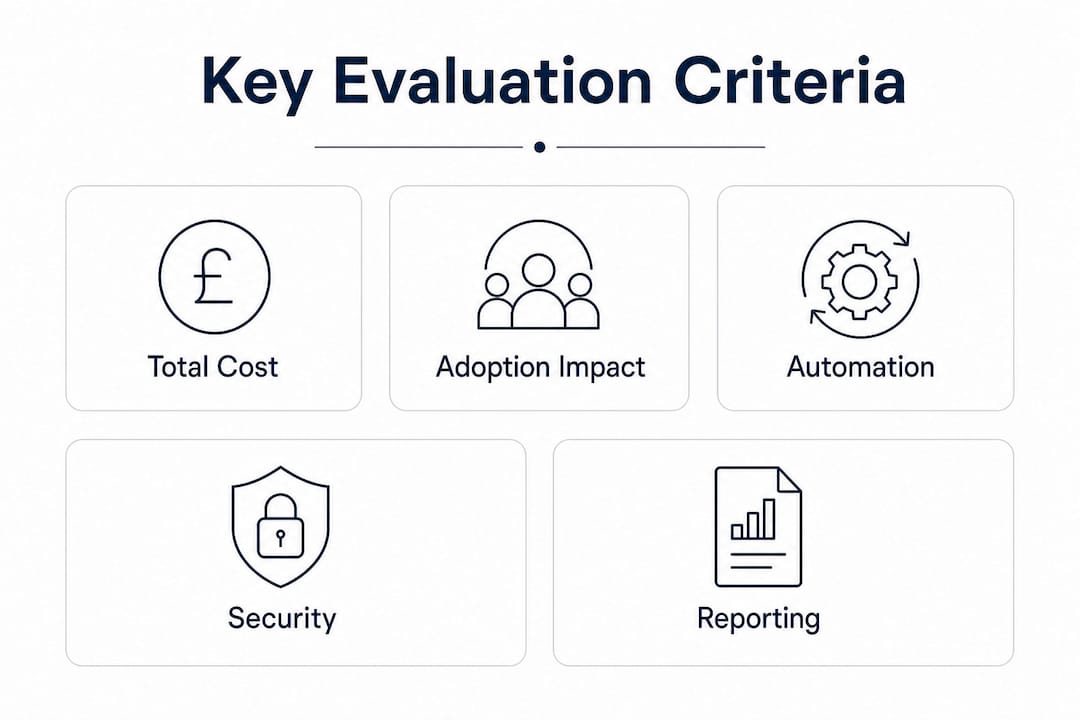
A professional evaluation scorecard should cover at least 12 criteria, with a total weighting of 100 points distributed by operational impact. The distribution matters because it forces you to rank what actually hurts your practice right now, not what looks impressive in a vendor slide deck.
The recommended weight distribution looks like this:
| Criterion | Weight |
|---|---|
| Three-year total cost of ownership | 14% |
| Close-time adoption impact | 13% |
| Revenue recognition (ASC 606) | 12% |
| Multi-entity consolidation | 11% |
| Implementation effort | 10% |
| Audit trails and controls | 9% |
| Security and compliance | 8% |
| Integration depth | 6% |
| Other criteria (reporting, support, UX) | 17% |
TCO sits at the top because it captures the full financial commitment, not just the headline licence fee. Close-time adoption impact ranks second because software that your team cannot use confidently within two months adds cost through lost productivity, not savings.
Revenue recognition and multi-entity consolidation appear high on the list because multi-entity complexity and ASC 606 compliance are the two most common triggers that push practices from spreadsheets or entry-level platforms to specialist software. If either applies to your practice, weight those criteria even higher than the defaults above.
- Audit trails: Verify that every transaction change is logged with a timestamp and user ID. This is non-negotiable for regulated clients.
- Integration depth: Score vendors on native connections to your payroll, CRM, and payment platforms. API-only integrations add hidden admin cost.
- Security and compliance: Require SOC 1 Type II and SOC 2 Type II reports, not marketing badges.
- Reporting flexibility: Test whether standard reports cover your client mix or whether custom reporting requires a developer.
Pro Tip: Document your current monthly close process step by step before you score a single vendor. Identifying your exact bottlenecks tells you which criteria to weight most heavily and prevents you from being distracted by features you will never use.
How do you build a weighted scoring matrix for vendor comparison?

A weighted decision matrix scores each vendor from 1 to 5 on every criterion, then multiplies each score by the criterion's weight to produce a comparable total. A well-structured matrix covers feature fit (25%), security and access control (20%), integrations (20%), implementation effort (15%), and TCO (20%). The numbers give you a defensible ranking that removes opinion from the room when stakeholders disagree.
Build your matrix in four steps:
- List your criteria and assign weights. Start from the 12-criterion framework above, then adjust weights to reflect your practice's pain points. A firm with five entities will weight consolidation higher than a solo bookkeeper.
- Score vendors before demos. Use publicly available information, reference calls, and G2 or Capterra reviews to assign preliminary scores. This prevents polished demos from inflating your perception of a weak platform.
- Run scripted demos against the matrix. Give every vendor the same scenario: your most complex monthly close task. Score each criterion live during the demo, not from memory afterwards.
- Recalculate totals and compare. A vendor that scores 4.2 on a weighted basis beats one that scores 4.8 on unweighted features if the 4.2 vendor excels on your highest-weighted criteria.
Generic evaluation templates are the most common mistake finance teams make. A template built for a manufacturing ERP will underweight bank reconciliation automation and overweight inventory management, skewing your scores before you start.
Pro Tip: Assign one team member to score each demo independently, then compare scores before discussing. Divergence between scorers reveals assumptions your team holds about what the software should do, which is worth resolving before you commit.
Common weights for cloud accounting platforms include bank reconciliation automation at 15% and general ledger reporting at 10%. If your practice runs high transaction volumes, reconciliation automation deserves that weight or more.
What should you test during software trials and demos?
Sales demos that use only vendor-selected scenarios are unreliable. Run a full monthly close cycle in the sandbox environment before you make any purchasing decision. One complete cycle reveals time-to-close, error rates, and team confidence in a way that no demo can replicate.
Structure your trial around these practical tests:
- Invoicing and accounts payable: Process a batch of invoices that includes foreign currency, credit notes, and a disputed line item. Measure how many clicks each task requires.
- Bank reconciliation: Import a real bank statement with at least 200 transactions. Time the auto-match rate and note how many items require manual intervention.
- Financial reporting: Generate a profit and loss statement, a balance sheet, and a cash flow report. Check whether the output matches your current format or requires reformatting before client delivery.
- Integrations: Connect the platform to your payroll or CRM system and push a test transaction. Verify that data arrives correctly without manual mapping.
- Support responsiveness: Submit a non-urgent support ticket on day one of the trial. Measure response time and quality. This predicts your post-go-live experience accurately.
Involving end-users in trials is not optional. The team members who process daily data entry, accounts payable, and reconciliations will identify UI bottlenecks and workflow gaps that finance leaders miss entirely in a high-level demo. Their feedback belongs in your scoring matrix.
Red flags that should stop an evaluation immediately include: a vendor who refuses sandbox access, a platform that cannot export data in a standard format, and support that takes more than 24 hours to respond during a trial period.
The role of AI in bookkeeping is now a legitimate trial criterion. Test whether the platform's AI categorisation learns from corrections or simply repeats errors, as this directly affects your team's workload after go-live.
Why does total cost of ownership and security compliance matter most?
TCO is the single most underestimated criterion in software selection. Finance teams routinely focus on the monthly licence fee and ignore implementation, data migration, add-on modules, training, and the admin headcount required to maintain the platform. A realistic three-year TCO must include every one of those line items, plus a written renewal price uplift cap. Without a cap, a vendor can increase your licence fee significantly at renewal with little notice.
Demand written confirmation that annual renewal uplifts are capped, typically at 3–5% per annum. Anything above that range should be a negotiating point before you sign.
Security compliance requires the same rigour. Demand full SOC 1 Type II and SOC 2 Type II audit reports under a non-disclosure agreement, not a vendor's self-certified security badge. SOC 1 covers controls over financial reporting. SOC 2 proves those controls have operated effectively over a defined period. A vendor who cannot produce both reports has not completed the audit, which is a material risk for any practice handling client financial data.
Additional compliance checks for your evaluation:
- Data Processing Agreement (DPA): Confirm the vendor will sign a DPA that meets UK GDPR requirements.
- Data residency: Verify that your data is stored in the UK or EEA if your clients require it.
- Single Sign-On (SSO) and SAML: Confirm SSO support if your firm uses a centralised identity provider. This reduces credential risk and simplifies offboarding.
- Role-based access control: Test that you can restrict user permissions to the level your audit clients require.
Security gaps discovered after go-live are far more expensive to fix than those caught during evaluation. A platform that fails on SOC 2 today is unlikely to pass a client audit tomorrow.
Key takeaways
A structured, weighted accounting software evaluation checklist is the most reliable method for finance professionals to select software that fits their actual workflows and cost constraints.
| Point | Details |
|---|---|
| Weight criteria by operational impact | Assign the highest scores to TCO, adoption speed, and revenue recognition before contacting vendors. |
| Build a scoring matrix before demos | Score vendors on public information first so that polished demos cannot distort your rankings. |
| Run a full monthly close in the trial | One complete sandbox close cycle reveals time-to-close and team adoption better than any demo. |
| Demand SOC 1 and SOC 2 reports | Request full audit reports under NDA, not marketing badges, to verify security compliance. |
| Calculate a written three-year TCO | Include implementation, migration, add-ons, and a renewal uplift cap to avoid hidden cost spikes. |
The mistake I see finance teams make every time
Most evaluation processes I have observed fail at the same point: the team falls in love with a demo. A vendor runs a beautifully scripted walkthrough, the interface looks clean, and the sales team is responsive. The weighted matrix gets quietly set aside because the room has already decided.
The fix is simple but requires discipline. Tailor your checklist to your actual monthly close pain points before you speak to anyone. If your close takes 12 days because of manual journal entries, weight adoption impact at 20%, not 13%. If you have three entities in two currencies, weight consolidation above revenue recognition.
The other consistent mistake is excluding the people who will actually use the software. Finance directors evaluate; accounts payable clerks and bookkeepers suffer the consequences. End-users in trials catch the problems that matter: the three-click process that should be one click, the report that exports in the wrong format, the reconciliation screen that times out on large files.
Finally, never skip the security verification step because a vendor seems reputable. Reputation is not an audit report. The SOC 2 Type II report tells you whether controls actually worked over the past 12 months. That is the only evidence worth accepting.
— Aaron
How Ailedger supports your software evaluation
Choosing the right accounting platform is faster when you have the right tools alongside your checklist.

Ailedger's curated directory gives you a structured way to compare AI-powered accounting tools across the criteria that matter most to your practice. Whether you are assessing document extraction accuracy with Datamolino or evaluating automated financial reporting capabilities, the directory cuts the research time significantly. Ailedger also covers workflow automation tools that directly affect your close-time adoption scores. Use the directory to shortlist vendors before you build your scoring matrix, so your evaluation starts with the right candidates rather than the loudest ones.
FAQ
What is an accounting software evaluation checklist?
An accounting software evaluation checklist is a structured document that scores potential platforms against weighted criteria such as TCO, security compliance, and workflow fit. It replaces subjective opinion with a repeatable, comparable scoring process.
How many criteria should an accounting software evaluation include?
A professional evaluation should cover at least 12 criteria, weighted across 100 points by operational impact. TCO, close-time adoption, and revenue recognition typically carry the highest weights.
What security reports should I request from a vendor?
Request full SOC 1 Type II and SOC 2 Type II audit reports under a non-disclosure agreement. Marketing security badges are not a substitute for verified audit evidence.
Why should end-users be involved in software trials?
End-users identify UI bottlenecks and workflow gaps that finance leaders miss during high-level demos. Their input directly improves the accuracy of your adoption impact scores.
What should a three-year TCO calculation include?
A three-year TCO must cover licence fees, implementation, data migration, add-on modules, training, admin headcount, and a written renewal uplift cap to prevent unexpected cost increases at contract renewal.