A paperless accounting practice is defined as one where every workflow, from client onboarding to tax filing, operates entirely in digital form with no paper entering or leaving the process. Done correctly, this model cuts admin time, strengthens compliance with HMRC's Making Tax Digital (MTD) requirements, and lets you serve clients faster. The firms that get it right do not simply scan old files and call it done. They rebuild their processes from the ground up, choosing integrated cloud-based accounting solutions and enforcing digital intake from day one. This guide gives you the exact steps to make that happen.
What tools and technology are essential for a paperless accounting practice setup?
A fully digital accounting practice runs on four categories of software working together. Each category handles a distinct part of your workflow, and the connections between them are what make automation possible.
| Tool category | Primary function |
|---|---|
| Cloud accounting platform | General ledger, VAT returns, MTD submission |
| Practice management software | Task tracking, deadlines, client records |
| Document management system | Secure file storage, version control, client portal |
| E-signature tool | Legally binding approvals without printing |

The integration between these categories is not optional. Integrated tech stacks that share data automatically are the defining factor in whether a paperless transition succeeds or stalls. A document management system that cannot push files into your accounting platform forces manual re-entry, which defeats the purpose entirely.
Bank feed automation is the quickest win in a digital accounting setup. Automated bank feeds reduce reconciliation time to roughly 15–20 minutes per month, with transaction data appearing within 24 hours. Modern platforms connect to over 2,500 UK and EU banks using Open Banking APIs, with authorisation taking under two minutes. That means your bank data flows in automatically, with no manual downloads or CSV imports.
Pro Tip: Set up your bank feeds before you process a single transaction. Retrofitting feeds to existing records creates reconciliation headaches that take far longer to fix than the original setup.
For client-facing work, a document portal with built-in e-signature capability removes the last reason to print anything. Clients upload receipts, sign engagement letters, and retrieve reports without posting a single sheet of paper. The AI in accounting tools available in 2026 extend this further, with optical character recognition (OCR) and AI extraction pulling data from uploaded documents directly into your ledger.
Initial cloud accounting software setup typically takes 1–3 hours for a professional user. That is a small investment given the time it saves every month thereafter.
How do you audit current paper workflows and set retention policies?
Before you digitise anything, you need to know exactly where paper lives in your practice. Most firms are surprised by how many touchpoints they find once they look systematically.
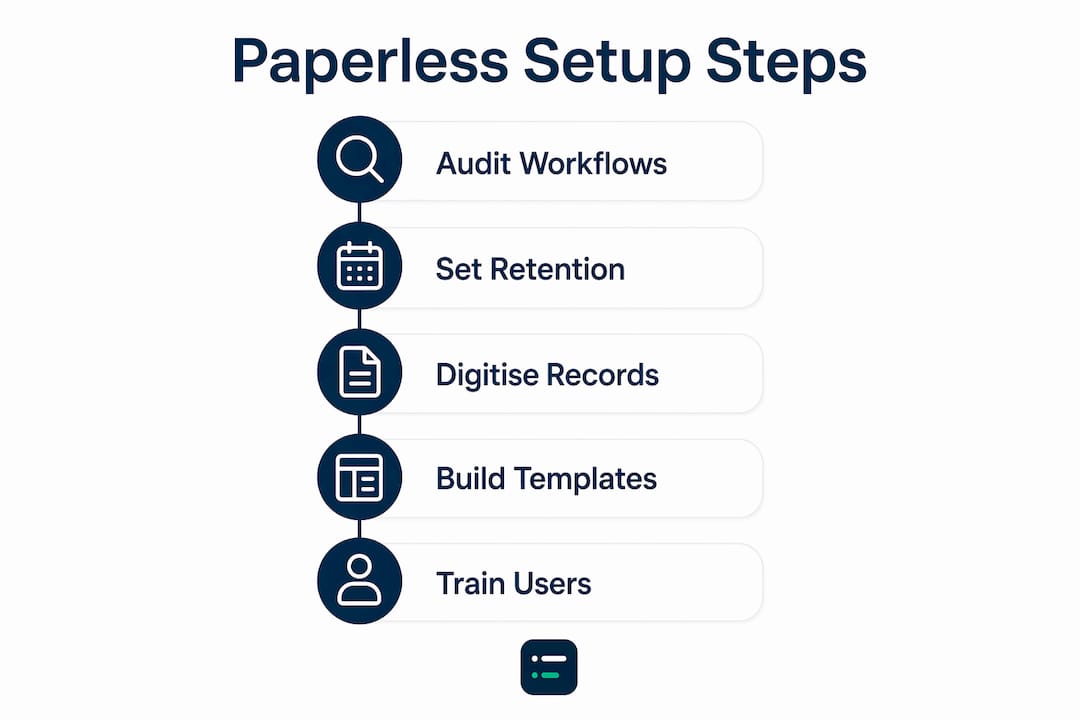
Follow these steps to complete a thorough audit:
- Map every paper touchpoint. Walk through client onboarding, invoicing, tax preparation, and document delivery. Write down every step where paper is created, received, or stored.
- Categorise by frequency and risk. Some paper flows are daily (incoming receipts); others are annual (signed accounts). Prioritise the high-frequency ones first.
- Check HMRC retention requirements. HMRC requires most business records to be kept for at least six years. Your retention policy must reflect this before you shred anything.
- Focus active digitisation on recent records. Auditing the last 2–3 years of archives covers the records most likely to be needed for VAT, MTD, and audit purposes. Older files can move to cost-effective digital cold storage rather than consuming your primary system.
- Document your retention schedule. Write a formal policy stating which record types are kept, for how long, and in what format. This protects you during HMRC enquiries.
Pro Tip: Batch older archives into a dedicated cold storage folder structure rather than mixing them with active client files. Label folders by year and record type so retrieval is fast if an enquiry arrives.
Setting retention policies before you digitise prevents two common mistakes: deleting records too early and keeping everything indefinitely, which creates clutter and compliance risk in equal measure. A written policy also gives your team a clear rule to follow without asking you every time.
How to digitise existing records and build digital workflows
Digitising your backlog is a one-time project. Building digital workflows is permanent. Treat them as separate tasks with separate timelines.
Digitising your paper backlog
Start by sorting physical files into three piles: active records (last 2–3 years), archive records (older than three years), and documents that can be destroyed immediately under your retention policy. Scan active records using a document scanner with automatic document feed. Name every file using a consistent convention: ClientName_Year_DocumentType. File each document into a folder hierarchy structured as Client / Year / Service Type. Once a file is scanned, verified, and saved, shred the original.
Building digital workflows from scratch
Digital workflows replace paper-based steps with automated or portal-based equivalents. The goal is that no new paper ever enters your practice. Digital-from-origin client documents eliminate redundant scanning and improve both compliance and efficiency. Ask clients to photograph receipts with a mobile app and upload directly to your portal rather than posting physical copies.
Key workflows to build include:
- Client onboarding: digital ID verification, e-signed engagement letters, portal account creation
- Document requests: automated reminders sent via the portal with a deadline and upload link
- Month-end close: bank feed reconciliation, automated categorisation rules, digital sign-off
- Client communication: all correspondence through the portal or email, with records stored automatically
Configuring granular user permissions before your first transaction is non-negotiable. Restrict each team member to only the client data and functions they need. This prevents accidental data exposure and reduces the risk of errors that are difficult to trace after the fact.
Pro Tip: Build your workflow templates before you go live with any client. A template for each service type (bookkeeping, VAT, year-end) means every job follows the same digital path from the start.
The digital-from-origin philosophy is the single biggest efficiency gain in paperless bookkeeping practices. Every document that arrives already digital saves you the scanning step entirely. That compounds quickly across hundreds of client files per year.
How do you train your team and clients for paperless adoption?
Technology is only half the equation. The other half is getting people to use it consistently. Client compliance is the biggest hurdle most practitioners face, and the solution is setting digital-only intake policies from day one rather than allowing paper as a fallback.
Follow this sequence for team and client training:
- Introduce tools in phases. Start with the cloud accounting platform and bank feeds. Add the document portal in week two. Add e-signatures in week three. Stacking everything at once causes confusion and resistance.
- Write standard operating procedures (SOPs) for every workflow. A written SOP for "how to request documents from a client" removes ambiguity and gives new staff a reference point. Keep SOPs in your document management system so they are always current.
- Appoint workflow champions. Identify one person per team who becomes the go-to expert for each tool. Champions answer questions, spot bad habits early, and feed back issues to you before they become systemic problems.
- Monitor adherence in the first 90 days. Check whether paper is still entering the practice through side channels. A client who posts a receipt because they find the portal confusing is a training issue, not a technology failure.
- Educate clients with patience and clarity. Send a short guide (one page, plain English) explaining how to use the portal, how to upload documents, and how to sign digitally. Follow up with a brief call for any client who struggles.
The common workflow bottlenecks that derail paperless transitions almost always trace back to inconsistent adoption rather than software limitations. A team member who emails a PDF instead of uploading to the portal, or a client who posts a bank statement because no one told them not to, creates a paper trail that undermines the whole system. Catch these habits early and correct them firmly.
Clients who are older or less tech-confident need more support, not more pressure. A short screen-share call showing them how to upload a document takes ten minutes and saves months of chasing paper.
Key takeaways
A successful paperless accounting practice depends on integrated systems, digital-from-origin client documents, and consistent team and client adoption enforced from the very first day.
| Point | Details |
|---|---|
| Integration is non-negotiable | Connect your accounting, practice management, and document systems so data flows automatically between them. |
| Audit before you digitise | Map every paper touchpoint and set HMRC-compliant retention policies before scanning a single file. |
| Digitise recent records first | Focus active digitisation on the last 2–3 years; move older archives to cold storage to reduce complexity. |
| Set permissions before transactions | Configure granular user access controls before processing any client data to prevent errors and breaches. |
| Enforce digital-only intake | Require clients to submit documents digitally from day one to avoid the retroactive scanning workload. |
The uncomfortable truth about going paperless
The technology for a fully paperless practice has existed for years. The barrier is almost never the software. It is the fragmented way most firms bolt tools together without thinking about data flow, and the reluctance to enforce digital intake with clients who push back.
I have seen practices invest in excellent cloud platforms and still handle paper daily, because their document management system does not talk to their ledger, and their team defaults to email attachments instead of the portal. The tools are there. The integration is missing. That gap is where paperless transitions die.
The fix is to treat your tech stack as a single system, not a collection of separate subscriptions. Every tool you add should have a clear answer to the question: where does the data go next, and does it get there automatically? If the answer is "someone copies it manually," you have not solved the problem.
Starting digital-from-origin is the single decision that separates firms that go genuinely paperless from those that just scan more paper. When clients send born-digital files through your portal, you never touch paper at all. That is the goal. Getting there requires you to grow your practice with automation rather than adding headcount to manage a hybrid system.
Be patient with the transition but firm on the destination. A phased approach works. Accepting paper indefinitely does not.
— Aaron
Tools to support your paperless accounting practice
Ailedger tracks the AI and automation tools that make a digital accounting setup practical rather than theoretical. The curated directory covers document automation, bank feed integrations, client portals, and month-end close tools, each evaluated for how well they connect with the rest of your stack.

For document capture and AI-powered data extraction, Datamolino on Ailedger is worth reviewing. It pulls data from uploaded invoices and receipts directly into your accounting platform, cutting the manual keying that slows down paperless bookkeeping practices. If you want to compare options across categories and find tools that fit your firm's size and workflow, the Ailedger tools directory gives you a filtered, up-to-date view of what is available in 2026.
FAQ
What is a paperless accounting practice?
A paperless accounting practice is one where all workflows, including client onboarding, document management, and tax filing, operate entirely in digital form. No paper enters or leaves the process at any stage.
How long does it take to set up cloud accounting software?
Initial cloud accounting software setup typically takes 1–3 hours for a professional user. Bank feed connections, user permissions, and client portal configuration add time but are usually completed within a working day.
What are HMRC's record retention requirements for digital records?
HMRC requires most business records to be kept for at least six years. Digital records held in compliant cloud systems satisfy this requirement under Making Tax Digital rules.
Why do most paperless transitions fail?
Most paperless transitions fail because of fragmented systems that do not share data automatically, and because firms allow paper intake to continue as a fallback. Enforcing digital-only client intake from day one is the most effective preventive measure.
Do clients need to change how they send documents?
Yes. Clients must submit documents digitally through a portal or mobile capture app rather than posting physical copies. A short onboarding guide and a brief call resolve most client concerns quickly.