An accounting chatbot is an AI-driven conversational interface that automates routine accounting tasks and client communications while integrating securely with practice systems such as Xero, QuickBooks, Sage, and FreeAgent. If you only needed that definition, you have it. For everyone else, here is what it means in practice for a UK firm.
At a glance:
- Handles natural language Q&A, document collection, draft invoice creation, reconciliation assistance, and workflow triggers
- Two main types: rules-based (scripted) and LLM-powered (genuinely intelligent, context-aware)
- Must comply with UK GDPR; data residency and vendor contracts matter
- The AI Ledger directory lists 100+ independently reviewed AI tools, including accounting chatbots, with editor scores that are never for sale
Table of Contents
- What exactly is an accounting chatbot?
- What features should you expect from a capable accounting chatbot?
- What use cases and benefits do accounting firms actually see?
- How do chatbots integrate with Xero, QuickBooks, Sage, and FreeAgent?
- What security and compliance checks does a UK firm need to run?
- How do you choose the right accounting chatbot for your firm?
- Which accounting chatbot tools are available to UK firms?
- How do you roll out an accounting chatbot without the common pitfalls?
- Key takeaways
- The case for starting smaller than you think
- Find your shortlist in 30 seconds
- Useful sources
What exactly is an accounting chatbot?
A rules-based chatbot follows a decision tree. Ask it "when is my VAT return due?" and it matches your question to a pre-written answer. It is fast to deploy and predictable, but it breaks the moment a client phrases a question differently or asks something outside its script. For simple FAQ handling on a firm website, that is often enough.
An LLM-powered accounting chatbot is a different proposition. It uses a large language model to understand intent, not just keywords, so it can handle follow-up questions, ambiguous phrasing, and multi-step requests. More importantly, the best implementations connect to your accounting software via API, which means the bot can look up a live balance, pull a client's filing status, or draft a journal entry for a staff member to review.

That last point is the real dividing line. A chatbot that only reads data is an information tool. One with read/write integration, backed by human confirmation workflows before any write action executes, is an operational assistant. The distinction matters when you are evaluating vendors: ask specifically whether the bot can write to your ledger, and if so, what the approval chain looks like.
What features should you expect from a capable accounting chatbot?
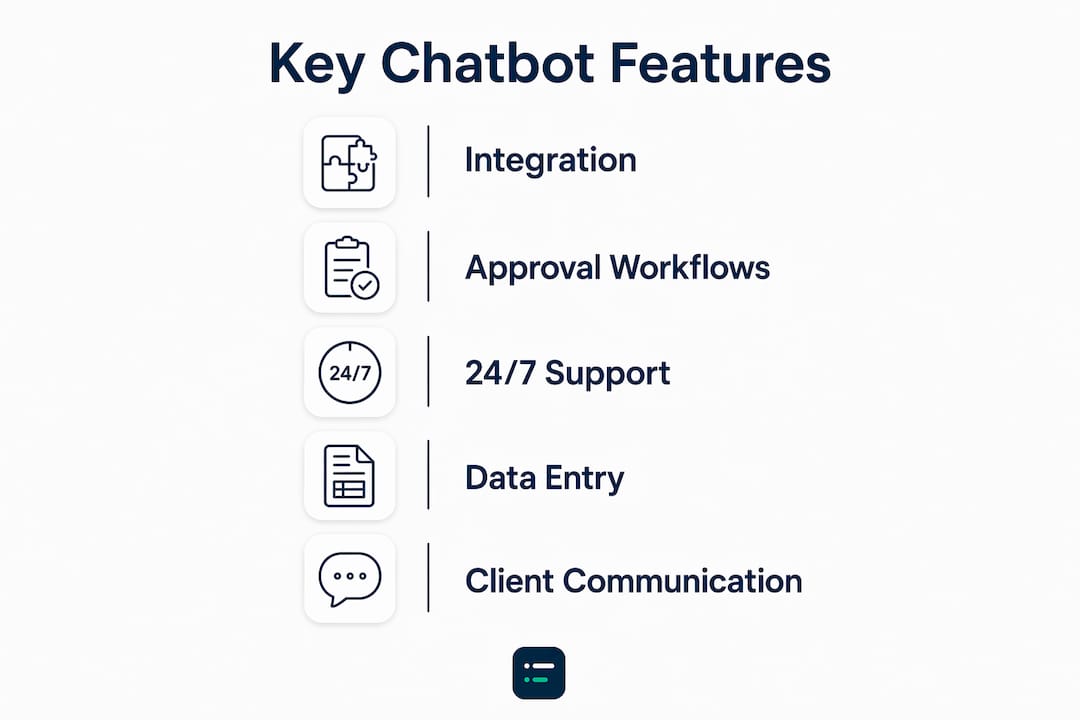
The gap between a capable accounting chatbot and a glorified FAQ widget comes down to a handful of specific features. Before you speak to a vendor, check whether their product covers all of the following.
- Natural language Q&A: Answers client and staff questions in plain English, handling synonyms and follow-ups without breaking.
- Secure document ingestion and OCR: Clients upload invoices, receipts, or bank statements via chat; the bot extracts data and maps it to the right client record.
- Ledger lookups: Read-only queries against Xero, QuickBooks, Sage, or FreeAgent to surface live balances, transaction history, or filing status.
- Draft invoice and bill creation: The bot prepares a draft for staff review; no write action executes without explicit confirmation.
- Reconciliation assistance: Flags unmatched transactions and suggests matches, reducing the manual trawl through bank feeds.
- Reminders and workflow triggers: Automated nudges for document deadlines, payment due dates, and self-assessment filing windows.
- Reporting queries: Ad-hoc requests such as "show me outstanding debtors over 60 days" answered in seconds.
- Audit logs and approvals: Every action, query, and document upload is logged with a timestamp and user reference.
Specialist tools such as Kaily advertise 24/7 client support alongside QuickBooks and Xero integration, which shows how far purpose-built vendors have moved beyond basic FAQ bots. More advanced assistants can also generate journal entries and perform variance analysis via conversation, positioning themselves as workflow accelerators rather than as replacements for professional judgement.
Pro Tip: Prioritise integration depth and approval workflows above all other features. A chatbot that can write to your ledger without a human sign-off step is a liability, not an asset. Confirm the approval chain in writing before you sign any contract.
What use cases and benefits do accounting firms actually see?
The most common use cases cluster around the work that consumes disproportionate staff time: answering the same client questions repeatedly, chasing documents, and processing routine transactions. Chatbots automate invoice processing, expense categorisation, receipt management, and payment reminders, freeing staff for advisory work that actually requires professional judgement.
Typical firm use cases include:
- Client FAQ handling (VAT deadlines, self-assessment windows, document checklists)
- Document collection via chat, with automatic tagging to client records
- Payment and deadline reminder workflows
- Expense capture through a conversational interface
- Basic transaction categorisation assistance
- Ad-hoc reporting requests from partners or managers
The ROI case is primarily about capacity, not headcount reduction. Automated document collection and routine status updates can increase client throughput notably during peak seasons without additional hires. That is the figure worth putting in front of your partners when making the business case.
Statistic to note: Domain-tuned models tested on financial queries have achieved accuracy of 90%, an F1 score of 87.75%, precision of 89.25%, and recall of 86.24%. These figures give a realistic benchmark for what a well-trained model can deliver in production.
| Metric | Typical outcome |
|---|---|
| Client throughput increase (peak season) | 20–30% with automated document collection |
| Model accuracy (domain-tuned financial queries) | 90% |
| F1 score (domain-tuned financial queries) | 87.75% |
| Precision (domain-tuned financial queries) | 89.25% |
| Recall (domain-tuned financial queries) | 86.24% |
| Staff time freed | Routine comms and document chasing shifted to bot |
On timeline: a well-scoped pilot typically shows measurable document turnaround improvements within six weeks. The fuller capacity benefits, including consistent throughput gains during busy periods, tend to materialise after six to twelve months of tuning and adoption. Younger clients in particular prefer instant digital touchpoints for routine queries, so client satisfaction scores often improve faster than internal productivity metrics.
How do chatbots integrate with Xero, QuickBooks, Sage, and FreeAgent?
The chatbot sits between your client or staff member and your accounting software. Understanding the data flow helps you assess both the utility and the risk of any given solution.

Three integration patterns cover most deployments:
| Integration type | Capability unlocked | Typical security controls |
|---|---|---|
| Read-only API connector | Live balance lookups, filing status, transaction history | OAuth scopes limited to read; no write permissions granted |
| Delegated write via API (with approval) | Draft invoices, journal entries, categorisation suggestions | Human confirmation required; audit log on every action |
| File ingestion (manual or automated upload) | Document OCR, receipt capture, bank statement parsing | Encrypted transfer; data mapped to client record and deleted from bot memory after processing |
For accounting software integration, the connector scope is the critical variable. A read-only OAuth token for Xero or QuickBooks limits what the bot can do if it is ever compromised. Delegated write access is more powerful but requires a well-designed approval workflow and a clear audit trail.
When a client uploads a document via chat, the typical flow is: encrypted transfer to the chatbot layer, OCR extraction, mapping to the client record in your practice management system, and then either automatic filing or a staff review queue. The raw document should not persist in the chatbot's memory after processing. Ask vendors explicitly where documents are stored, for how long, and under what deletion policy.
Pro Tip: Before connecting any chatbot to a live ledger, test the connector in a sandbox environment with dummy data. Verify that write scopes are limited to exactly what the workflow requires, and confirm that the bot cannot escalate its own permissions.
For QuickBooks Online users, third-party data backup is worth considering alongside any chatbot deployment, since automated write actions increase the risk of accidental data changes that need to be reversed.
What security and compliance checks does a UK firm need to run?
UK GDPR applies the moment client data passes through an AI model. That means you need a lawful basis for processing, a data minimisation approach (the bot should only see what it needs), and a clear process for handling subject access requests when data has been processed by an AI system.
Before signing with any vendor, work through this checklist:
- Data residency: Confirm that client data is processed and stored within the UK or EEA. A vendor whose servers sit outside those boundaries requires a transfer impact assessment.
- ISO 27001 or SOC 2 attestation: Request the current certificate, not a marketing claim. Check the scope covers the specific service you are buying.
- Data handling and retention policy: Get it in writing. How long does the vendor retain conversation logs, uploaded documents, and query data? What happens to your data if you cancel?
- Breach notification clause: Your contract should require the vendor to notify you within 72 hours of a confirmed breach, matching the ICO's own reporting window.
- Audit log availability: You must be able to produce a complete log of what the bot did, when, and on whose instruction, for professional indemnity and regulatory purposes.
- Approval workflows: Confirm that no write action executes without a named staff member's sign-off, and that the log captures who approved what.
Pro Tip: For workflows involving highly sensitive client data, such as tax investigations or corporate restructuring, prefer vendors that offer private model instances or on-premises deployment. Private or controlled model instances keep sensitive data out of shared model training pipelines entirely.
This is general guidance, not legal advice. Confirm your specific obligations with a qualified data protection adviser or the ICO's published guidance for your firm's situation.
How do you choose the right accounting chatbot for your firm?
Start with a short evaluation framework before you talk to a single vendor. It saves time and stops you being sold features you do not need.
Evaluation dimensions:
- Accuracy and testing: Ask for benchmark data on the vendor's model performance for accounting queries. Domain-tuned models should be able to demonstrate precision and recall figures, not just anecdotal case studies.
- Integration depth: Read-only or read/write? Which specific connectors are production-ready for Xero, QuickBooks, Sage, and FreeAgent? What is the connector maintenance policy when those platforms update their APIs?
- Security posture: ISO 27001 or SOC 2 in scope? Data residency confirmed? Approval workflows documented?
- Pricing model: Per-seat, per-conversation, or enterprise flat fee? Calculate total cost of ownership including implementation, training, and ongoing support.
- Vendor support and training: What onboarding is included? Is there a dedicated account manager or a support ticket queue?
- Success criteria: Define these before the pilot, not after. Reduced ticket volume, faster document turnaround, and client throughput during peak season are all measurable.
A pragmatic pilot timeline for a mid-sized UK practice:
- Week 0: Vendor shortlisting, security questionnaire sent, reference checks completed
- Weeks 1–2: Sandbox integration with anonymised sample data; connector scope verified
- Weeks 3–6: Small client pilot (10–20 clients, one workflow only); staff trained on escalation process
- Weeks 7–12: Measurement against agreed success criteria; decision to scale, adjust, or exit
Questions worth asking vendors directly: What data was used to train the model? How are model updates communicated and tested before deployment? What is the SLA for incident response? How are approval workflows configured and audited?
For a broader view of AI tool comparison criteria specific to accounting practices, The AI Ledger's comparison guide covers the evaluation dimensions in more detail.
Which accounting chatbot tools are available to UK firms?
These are illustrative examples to help you recognise the main vendor categories. They are not ranked or endorsed; use them as a starting point for your own due diligence.
- ChatGPT Business (OpenAI): A general-purpose LLM platform that many firms use as a backend for custom-built accounting assistants. Flexible and capable, but requires significant configuration to connect to accounting software securely. Data handling terms and residency options should be reviewed carefully under UK GDPR.
- Claude (Anthropic): An LLM alternative with a published safety focus and a strong context window, making it well-suited to long document analysis such as reviewing contracts or lengthy bank statements. Like ChatGPT Business, it functions as a platform rather than a ready-made accounting product.
- Kaily: A specialist accounting chatbot solution built specifically for accounting and bookkeeping firms. Advertises native integrations with QuickBooks and Xero, 24/7 client support, and workflow automation for document collection and tax preparation queries.
- AccountsGPT: An accounting-focused assistant that positions itself as a conversational interface for financial data queries and reporting, aimed at practitioners who want plain-English access to their numbers.
- AccountantGPT (Poe): A prebuilt agent available on the Poe platform, designed for accounting-specific Q&A. Useful for internal staff queries and quick reference, though integration depth with live accounting systems varies.
When comparing these categories, the dimensions that matter most are: whether the tool is best suited to internal automation or client-facing workflows; which accounting software integrations are production-ready; what security certifications and data residency options are available; how pricing scales with firm size; and how much implementation effort is realistic for your team.
For up-to-date editor scores, last-verified dates, and side-by-side comparisons, the AI Ledger tool finder gives you a shortlist in about 30 seconds.
How do you roll out an accounting chatbot without the common pitfalls?
The firms that get the most from chatbot deployments start internal, narrow the scope to one or two specific workflows, and keep a human in the loop for at least the first two quarters. That approach lets you tune accuracy and governance before your clients ever interact with the bot.
Implementation tips:
- Scope the pilot tightly: one workflow (document collection, for example) rather than everything at once
- Involve a partner or senior manager in sign-off on approval workflows before go-live
- Train staff on the escalation path: when the bot is uncertain, how does it hand off to a person?
- Review conversation logs weekly in the first month to catch misclassifications early
Common pitfalls to avoid:
- Granting write permissions before the approval workflow is fully tested
- Under-training the bot on firm-specific terminology, client categories, and edge cases
- Ignoring model drift: a bot that performed well in January may degrade by April if the underlying model is updated without notice
- Treating low complaint volume as a proxy for accuracy; clients often just stop using a bot that gives poor answers rather than reporting it
Measuring success: Track ticket volume handled by the bot versus escalated to staff, document turnaround time before and after deployment, client satisfaction scores for routine queries, and client throughput during your next peak season. The capacity expansion benefit is the primary ROI driver for most practices, so throughput during busy periods is the metric worth watching most closely. For context on how accounting workflow automation fits into a broader practice improvement plan, The AI Ledger's workflow guide covers adjacent use cases.
Key takeaways
Accounting chatbots deliver the most value when deployed with clear integration scopes, human approval workflows, and UK GDPR-compliant vendor contracts, starting with internal productivity before scaling to client-facing automation.
| Point | Details |
|---|---|
| Definition and types | An accounting chatbot is an AI conversational assistant; LLM-powered tools with read/write integrations are far more capable than rules-based bots. |
| Top features to prioritise | Approval workflows, audit logs, and secure document ingestion matter more than conversational polish. |
| Key security checks | Confirm data residency, ISO 27001 or SOC 2 attestation, and a 72-hour breach notification clause before signing. |
| Pilot recommendation | Run a six-week internal pilot on one workflow before any client-facing deployment; measure throughput and document turnaround. |
| The AI Ledger | The AI Ledger's 30-second tool finder and 100+ independently reviewed listings help you build a shortlist without the sales noise. |
The case for starting smaller than you think
There is a tendency in practice management to treat a chatbot deployment as a transformation project, which almost guarantees it takes longer than it should and delivers less than it promised. The evidence points in the opposite direction. The firms that see the fastest returns are the ones that pick a single, high-volume, low-risk workflow, automate it properly, measure it honestly, and then expand.
The 20–30% throughput increase during peak season is not a headline figure from a vendor brochure; it reflects what happens when document chasing and status queries stop consuming staff time at exactly the moment everyone is already stretched. That is a real operational gain, and it does not require a firm-wide rollout to achieve it.
What concerns me more than slow adoption is overconfident adoption: firms that grant write permissions too early, skip the sandbox testing, or assume that a high accuracy score on a benchmark translates directly to their specific client base and workflows. It does not, not without tuning. The approval workflow is not a bureaucratic formality; it is the mechanism that keeps a capable tool from becoming a liability.
The AI Ledger's directory is editorially independent, with scores that are never for sale and a last-verified date on every listing. That matters when you are trying to cut through vendor claims and find out what a tool actually does in a practice like yours.
Find your shortlist in 30 seconds

Evaluating accounting chatbots takes time you probably do not have spare. The AI Ledger's 30-second tool finder matches your practice to independently reviewed AI tools based on your software stack, firm size, and the specific tasks you want to automate. Every listing carries an editor score, an honest verdict, and a last-verified date. No sponsored placements, no scores for sale.
If you already have a shortlist and want to compare options side by side, the comparison tool lets you line up features, integrations, and pricing in one view. For firms considering a private model instance for sensitive workflows, that is a filter you can apply directly in the directory.
Start with the tool finder, shortlist two or three vendors, and run the six-week pilot outlined above. That is the fastest route from curiosity to a decision you can defend to your partners.
Useful sources
- Integrate AI-based chatbots into accounting services (peer-reviewed paper) — Academic research reporting model accuracy and F1 scores for domain-tuned financial query classification; useful for setting realistic accuracy expectations.
- Accounts OS: AI CFO chat features — Illustrates how read/write integrations and human confirmation workflows function in a production accounting chatbot.
- GenAI in accounting: BDO's journey from pilot to production — Practical case study on starting internal, managing governance, and using private model instances for sensitive data.
- Kaily AI: chatbot for accounting — Specialist vendor example showing feature sets for document collection, 24/7 support, and accounting software integration.
- OSForYour.Business: AI chatbots for accounting CPA use cases — Source for the 20–30% client throughput figure and capacity expansion framing.
- Chatsy: chatbot for accounting blog — Evidence on younger client preferences for instant digital interactions and satisfaction score improvements.
- Ripple LLC: impact of AI chatbots on accounting — Overview of automated bookkeeping tasks including invoice processing, expense categorisation, and payment reminders.
- Jenova AI: AI accounting assistant — Covers deeper assistant capabilities including journal entry generation and variance analysis via conversation.
- The AI Ledger tool finder — Independent directory of 100+ AI tools for accountants and bookkeepers; 30-second tool finder, side-by-side comparisons, and editor scores updated regularly.