Cloud bookkeeping migration is the process of moving a practice's financial records, workflows, and integrations from on-premises or desktop accounting software to a cloud-hosted platform where data is stored, processed, and accessed via the internet. If you are starting today, three steps matter immediately:
- Create a verified backup of all existing ledger data and export a trial balance at the current period end.
- List every integration your client uses (payroll, e-commerce, CRM, payment processors) and confirm cloud equivalents exist.
- Set a firm cutover date and communicate it to the client at least four weeks in advance.
Measure success against targets you can track: monthly close time reduced significantly, bank-feed coverage reaching almost all active accounts within the first reconciliation cycle, and manual journal entries substantially reduced within 90 days of go-live.
Key takeaways
Cloud bookkeeping migration is a change-management project first and a software project second: practices that clean data before migration, run parallel reconciliations, and train users in two stages consistently hit their go-live dates and maintain clean books post-cutover.
| Point | Details |
|---|---|
| Define the cutover date early | Set and communicate the cutover date at least four weeks before go-live to align the client and the practice. |
| Clean data before you migrate | Reconcile accounts and remove duplicates before exporting; unclean data migrates with you and compounds post-cutover. |
| Phase by complexity | Start with simple, single-entity clients to build a repeatable process before tackling multi-entity or multicurrency migrations. |
| Train in two stages | Run an initial session before go-live and a follow-up session two weeks after, when users have real questions from real experience. |
| The AI Ledger for tool selection | Use The AI Ledger's independent directory and 30-second tool finder to match AI and automation tools to your cloud platform and practice tasks. |
Table of Contents
- What does cloud bookkeeping actually mean for a UK practice?
- Why migrating to cloud bookkeeping benefits your practice
- How to assess readiness and choose which clients to migrate first
- A step-by-step migration plan you can adapt for any client
- Which platforms and tools support UK bookkeeping migration?
- Security and UK compliance during migration
- Training and adoption: the part most practices underestimate
- What does cloud bookkeeping migration cost, and how long does it take?
- Common migration mistakes and how to fix them
- What actually matters when you migrate: an editorial view
- Find the right migration tools faster with The AI Ledger
- Sources
What does cloud bookkeeping actually mean for a UK practice?
Cloud bookkeeping is not simply a software swap. It is an operational shift from a file sitting on one machine to a live, multi-user ledger that any authorised user can access from any device, with bank feeds pulling transactions automatically and an app ecosystem handling receipts, payroll, and invoicing in real time.
The contrast with on-premises accounting is sharpest in four areas:
- Access and collaboration. A desktop ledger is locked to one location. A cloud ledger lets your client, their bookkeeper, and the practice review the same live figures simultaneously, which removes the version-control problem that plagues emailed spreadsheets.
- Update cadence. Desktop software ships updates quarterly or annually, often requiring manual installation. Cloud platforms push updates continuously, so VAT rate changes and MTD rule adjustments appear automatically.
- Disaster recovery. A failed hard drive can destroy years of desktop records. Cloud providers replicate data across multiple data centres, so recovery is a login, not a rebuild.
- Integration depth. On-premises systems typically connect to a handful of add-ons. Cloud platforms such as Xero and QuickBooks Online (UK) support hundreds of third-party apps through open APIs, covering everything from automated receipt capture to e-commerce reconciliation.
As Microsoft Azure's cloud migration overview notes, moving to the cloud can follow several strategic approaches, from a straight rehost of existing data to a full replatform that redesigns workflows around the new system's capabilities. For most bookkeeping practices, the practical choice sits between rehost (import the chart of accounts and open balances, keep existing processes) and replatform (redesign bank reconciliation, automate receipt matching, retire manual journals).
The bookkeeping processes most affected by the shift are bank reconciliation (now feed-driven rather than statement-driven), receipts capture (replaced by OCR and document capture tools), payroll posting (handled via direct integrations), and sales invoicing (automated through connected billing apps).
Why migrating to cloud bookkeeping benefits your practice
The case for cloud bookkeeping is not theoretical. IFAC's guidance on cloud accounting migration is direct: cloud accounting centralises data, supports remote access and automation, and can reduce costs and operational risk for professional accountancy organisations. For a UK practice, those advantages translate into measurable outcomes.
- Real-time reporting. Clients can see their P&L and cash position without waiting for a month-end pack. That shift alone changes the advisory conversation from retrospective to forward-looking.
- Automation of repetitive tasks. Bank feeds, automated bank rules, and receipt-matching tools handle the grunt work of data entry. Practices that grow through automation report faster closes and more capacity for higher-value work.
- Security improvements. Reputable cloud platforms deliver bank-grade encryption and professionally managed access controls. The weak point in most practices is not the cloud platform itself but the insecure file sharing and manual spreadsheets that cloud systems replace.
- Cost profile. Subscription pricing replaces upfront licence fees and server hardware. For smaller practices, the total cost of ownership typically falls; for larger ones, the saving comes from reduced IT maintenance and support overhead.
- Integration ecosystem. Tools such as bookkeeping automation apps for receipts, payroll connectors, and e-commerce feeds plug directly into cloud platforms, removing the manual import cycles that desktop software requires.
One point worth stating plainly: cloud migration also positions a practice for Making Tax Digital compliance. Gov sets out the digital record-keeping and submission requirements that apply to income tax and VAT. Cloud platforms with built-in MTD-compatible VAT filing remove a compliance step that desktop users still handle manually.
How to assess readiness and choose which clients to migrate first
Not every client should move at the same time. Prioritising by complexity and volume gives your team early wins that build confidence before tackling harder cases.
Build a client inventory first. For each client, record: number of bank accounts, active integrations, transaction volume per month, whether books are currently reconciled, and the last clean period-end close. That inventory becomes your migration queue.
Priority rules:
- Move clients with a single bank account, no third-party integrations, simple VAT (standard-rated or exempt), and fewer than 200 transactions per month in the first wave. These are your proof-of-concept migrations.
- Clients with multiple entities, multicurrency, payroll integrations, or e-commerce feeds belong in a later phase, once the team has a repeatable process.
- Clients whose books are unreconciled or whose data is messy should be cleaned up before migration, not during it. Migrating dirty data is the fastest way to create a reconciliation problem you cannot explain.
Readiness checklist for each client before migration begins:
- Books reconciled to the most recent period end
- Full backup of existing data confirmed and stored securely
- Chart of accounts reviewed and rationalised (remove unused codes)
- All integrations listed with cloud-compatible alternatives confirmed
- Client champion nominated (the person on the client side who will own the new system)
- Data processing agreement in place with the new cloud provider
A phased cutover and parallel run are strongly recommended for any client with more than basic complexity. Beancount highlights that parallel runs catch timing mismatches between bank feeds and settlement logic that sample imports miss entirely.
A step-by-step migration plan you can adapt for any client
A disciplined, phased migration checklist reduces data-mapping errors and prevents disrupted closes. The five phases below give you a repeatable structure.
Phase 1: Discovery
- Export the full trial balance, aged debtors, aged creditors, and fixed asset register from the existing system.
- Document the chart of accounts and flag any codes that need consolidating or renaming.
- List all integrations and confirm API or CSV import availability in the target platform.
- Agree the cutover date and the last transaction date in the old system.
Phase 2: Data mapping
- Map old account codes to the new chart of accounts. Note any codes that split or merge.
- Prepare CSV templates for customers, suppliers, opening balances, and outstanding invoices.
- Confirm the VAT treatment for each account code carries across correctly, particularly for partial exemption or reverse charge scenarios.
- Document any custom fields or tracking categories the client uses for reporting.
Phase 3: Test import
- Import a sample dataset (one month of transactions) into a test environment or a sandbox company.
- Run a trial balance comparison between the old system and the test import. Differences of more than a few pence indicate a mapping error, not a rounding issue.
- Test bank feed connections for each account and confirm transaction matching rules work as expected.
- Validate that payroll journals post correctly and that VAT returns produce the right figures on a test submission.
Phase 4: Cutover and first close
- Post the final transactions in the old system up to the agreed cutover date.
- Export the final trial balance and reconcile it to the opening balances entered in the new system.
- Activate live bank feeds and confirm all accounts are pulling correctly within 24 hours of go-live.
- Run the first bank reconciliation in the new system before declaring go-live complete.
Phase 5: Stabilisation
- Monitor bank-feed coverage daily for the first two weeks.
- Run a parallel reconciliation for the first full period to confirm closing balances match.
- Check that all integrations (payroll, invoicing, receipts) are posting correctly.
- Capture any issues in a migration log and resolve within the agreed support window.
Data migration checklist at a glance:
| Item to export | Format | Validation check |
|---|---|---|
| Trial balance (period end) | CSV / PDF | Matches opening balances in new system |
| Customer list | CSV | All contact details and payment terms present |
| Supplier list | CSV | All contact details and payment terms present |
| Outstanding sales invoices | CSV | AR balance matches aged debtors report |
| Outstanding purchase invoices | CSV | AP balance matches aged creditors report |
| Fixed asset register | CSV / PDF | Depreciation schedule carried forward correctly |
| Bank reconciliation statement | Confirms last reconciled balance before cutover |
Pro Tip: Schedule your cutover at the end of a VAT period, not mid-quarter. Starting a new system at a clean VAT boundary means your first return in the cloud covers a complete period, which makes reconciling the submission far simpler.
Practices should also standardise the chart of accounts and clean data before migration. As the Balances.cloud checklist puts it plainly: garbage in, garbage out remains the dominant failure mode.
Which platforms and tools support UK bookkeeping migration?
Most cloud accounting providers supply migration aids, but the depth of support varies considerably. Xero's guidance for accountants moving clients to the cloud recommends starting with early adopters and iterating the process before rolling out to the full client base. That advice holds regardless of which platform you choose.
The main platforms for UK practices
-
Xero is the most widely used cloud accounting platform among UK practices. Its migration tools include a CSV import wizard for contacts, invoices, and opening balances, a dedicated conversion checklist, and a partner support team for practices on the Xero partner programme. The app marketplace covers over 1,000 integrations. Best fit: practices with a mixed client base and a need for a broad integration ecosystem.
-
QuickBooks Online (UK) offers a conversion service and a dedicated migration tool for moving data from QuickBooks Desktop. Its MTD-compatible VAT filing and payroll integration make it a strong choice for practices with clients already using QuickBooks Desktop who want a straightforward path to the cloud. Best fit: practices migrating existing QuickBooks Desktop clients.
-
Sage Business Cloud Accounting suits practices with clients in manufacturing, distribution, or those needing more granular stock and job costing. Sage's migration support includes a data import tool and a network of certified Sage partners who can assist with complex conversions. Best fit: practices with clients in product-based industries or those requiring detailed job costing.
-
FreeAgent is built specifically for freelancers, contractors, and micro-businesses. Its onboarding is lightweight, and the platform's MTD VAT filing is built in from day one. Migration is typically straightforward for simple sole-trader or limited-company clients with low transaction volumes. Best fit: practices with a large portfolio of micro-business or contractor clients.
-
Hubdoc is not a full accounting platform but a document capture and data extraction tool that integrates directly with Xero and QuickBooks Online. During migration, it handles the transition from paper receipts and emailed invoices to automated OCR capture, which removes one of the most labour-intensive manual steps. Best fit: any practice looking to eliminate manual receipt entry as part of the migration project.
What to look for in platform migration support
- CSV and GL import tools with field-mapping guidance
- A sandbox or test company environment for trial imports
- MTD-compatible VAT filing built in (not a bolt-on)
- Bank-feed coverage for UK high-street banks and payment processors (Stripe, PayPal, GoCardless)
- A dedicated migration or onboarding team accessible to practice partners
For practices evaluating platforms before committing, the accounting software evaluation checklist at The AI Ledger covers the key criteria in a format you can reuse for each client.
Security and UK compliance during migration
Security concerns are the most common objection to cloud migration, and they are often based on a misunderstanding. Reputable cloud platforms typically deliver stronger, professionally managed security controls than the ad-hoc local setups they replace. The real risk during migration is not the destination platform but the transfer process itself.
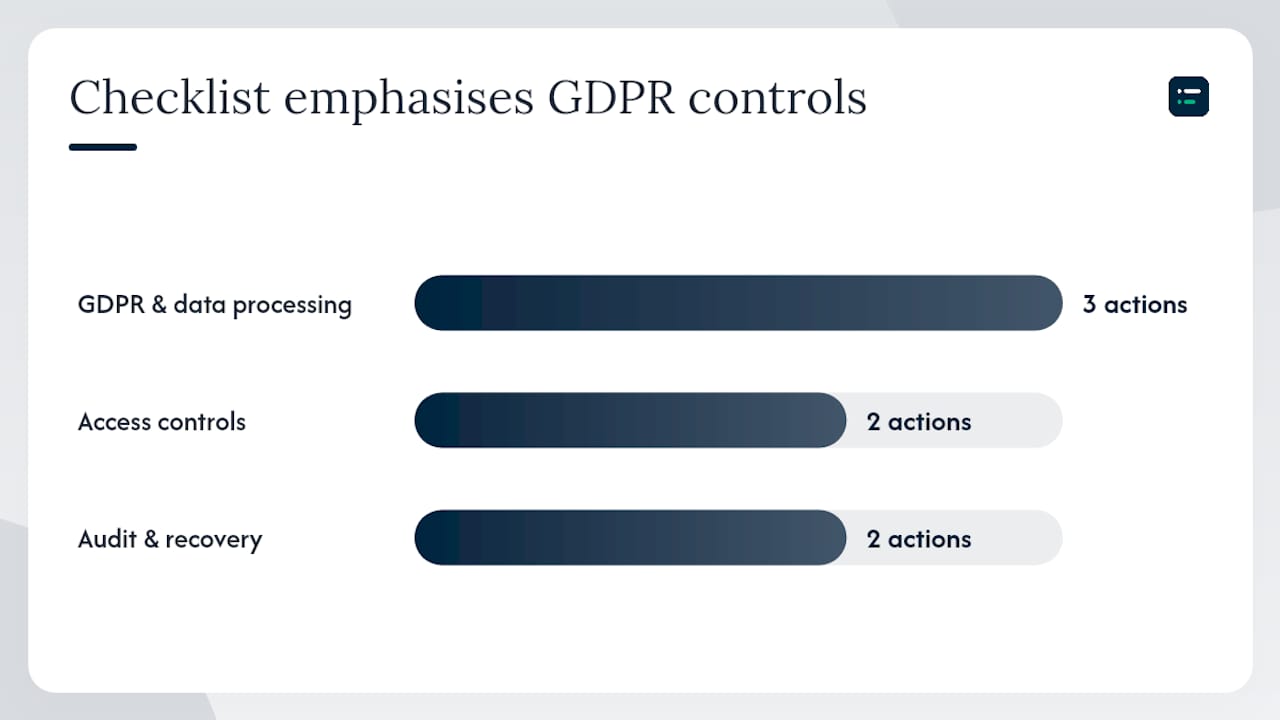
GDPR and data processing obligations:
- Confirm that the cloud provider acts as a data processor under UK GDPR and that a Data Processing Agreement (DPA) is in place before any client data is transferred.
- Record the lawful basis for processing client financial data in the new system. For most practices, this is contractual necessity, but document it explicitly.
- Check where the provider stores data. UK and EEA data centres are preferable; if data is stored outside the UK, confirm the provider's transfer mechanism (adequacy decision, standard contractual clauses).
- Review the ICO's guidance on data sharing if you are unsure about your obligations during the transfer period.
Access controls and authentication:
- Enable multi-factor authentication (MFA) for all users on day one. Do not treat this as optional.
- Apply role-based access: bookkeepers get transaction-level access, clients get read-only or limited approval access, and administrators hold full access.
- Remove access for any user who leaves the practice or the client's business within 24 hours of departure.
- Audit the user list at the end of the first month post-migration.
Audit trail and retention:
- Confirm the platform maintains an immutable audit trail of all transactions and user actions. This is a requirement for MTD compliance and good practice for any regulated client.
- Retain exports of the pre-migration data for at least six years in line with HMRC's record-keeping requirements.
- Making Tax Digital for Income Tax sets out the digital record-keeping standards that apply post-migration. Ensure the new platform meets them before go-live.
Security checklist:
- DPA signed with cloud provider
- MFA enabled for all users
- Role-based access configured
- Data residency confirmed (UK/EEA preferred)
- Pre-migration data archived securely for six years
- Audit trail verified and tested
- Backup and recovery process documented and tested
Training and adoption: the part most practices underestimate
Practice managers consistently report that the human element, specifically inadequate and untailored training, is the biggest migration risk. Software problems are fixable in hours. Behavioural backsliding, where staff revert to emailed spreadsheets and manual journals because the new system feels unfamiliar, takes weeks to correct and can undermine the entire project.
Training plan by role:
- Bookkeepers and data-entry staff: two to three hands-on sessions covering bank reconciliation, receipt capture, and transaction coding in the new system. Focus on the daily workflow, not the full feature set.
- Practice managers and approvers: one session on reporting, user management, and the approval workflow. They need to understand what they are signing off, not how to enter transactions.
- Clients: a short walkthrough (30 minutes maximum) covering how to approve invoices, view reports, and upload receipts via the mobile app. Keep it to what they will actually use.
Adoption metrics to track in the first 90 days:
- Login rate: are all nominated users logging in at least weekly?
- Automated receipt match rate: what percentage of receipts are being matched automatically versus manually coded?
- Reconciliation time per period: is it falling compared with the pre-migration baseline?
- Manual journal count: is it declining month on month?
Communication plan:
- Send a migration announcement to clients four weeks before cutover, explaining what is changing, what they need to do, and who to contact with questions.
- Designate a change champion inside the practice (usually the lead bookkeeper for that client) who owns the relationship during the transition.
- Offer a two-week support window post-go-live where the client can call or email with questions and receive a same-day response.
Pro Tip: The most common behavioural failure is staff uploading receipts to a shared drive instead of the new capture tool because it feels faster. Fix this by removing the shared drive access on go-live day, not gradually. Leaving the old route open gives people a reason to avoid the new one.
For practices thinking about how AI fits into this picture, the role of AI in bookkeeping is worth reading alongside your training plan. AI-powered receipt capture and transaction classification tools often form part of the new workflow, and training users on them from day one avoids a second change-management exercise later.
What does cloud bookkeeping migration cost, and how long does it take?
Timeline and cost vary more than most guides admit. A straightforward sole-trader client with one bank account, no integrations, and clean books can be migrated in a day or two. A multi-entity client with payroll, e-commerce feeds, multicurrency, and two years of historical data to import can take several weeks or months.
Typical timelines:
- Simple migration (single entity, one bank account, standard VAT, no integrations): two to five working days including testing and go-live.
- Moderate migration (single entity, two to four bank accounts, one or two integrations, up to 12 months of history): two to four weeks.
- Complex migration (multi-entity, multicurrency, payroll integration, e-commerce feeds, full historical import): six to twelve weeks, sometimes longer if data cleaning is required first.
Key cost drivers:
- Transaction volume and historical import depth (more history means more mapping and validation time).
- Number and complexity of integrations (each integration needs testing independently).
- Multi-entity structures (each entity is effectively a separate migration).
- Data quality in the source system (unreconciled books add remediation time before migration can begin).
- Training requirements (larger client teams need more sessions and more support time).
How to price a migration project:
- For simple migrations, a fixed price is cleaner for the client and easier to scope. Quote based on the inventory assessment, not a guess.
- For moderate and complex migrations, time-and-materials with a capped estimate gives you flexibility without leaving the client with an open-ended bill.
- Always communicate what is included (data mapping, testing, one round of corrections, training) and what triggers additional charges (unreconciled books discovered mid-project, additional integrations not listed at scoping).
For a broader view of how digital transformation affects practice economics, the Gozera digital transformation guide for accounting firms covers the financial and operational case in useful detail.
Common migration mistakes and how to fix them
Most migration problems are predictable. Here are the ones that appear most often, and what to do when they surface.
Frequent pitfalls:
- Poor chart-of-accounts mapping. Transactions post to the wrong code because the mapping document was not reviewed carefully enough. The symptom is a trial balance that does not match the pre-migration export.
- Skipping the parallel run. Going live without running a parallel reconciliation means the first close in the new system is also the first test. Any error discovered then is harder to trace.
- Ignoring integrations until after go-live. Payroll journals that do not post, or e-commerce feeds that duplicate transactions, are the most common post-cutover surprises. Test every integration in the sandbox before go-live.
- Undertrained users. Staff who are not confident in the new system revert to workarounds. The result is a mix of data in the old and new systems that is difficult to reconcile.
- Migrating unclean data. Duplicate customers, unreconciled accounts, and old unpaid invoices that should have been written off all carry across and create noise in the new system.
Remediation steps:
- For a mapping error: run a full account-by-account comparison between the pre-migration trial balance and the new system. Identify the divergent codes, post correcting journals with a clear narrative, and update the mapping document for future reference.
- For a missed integration: pause the integration, review the transaction log for duplicates, reverse any duplicate postings, and retest the integration in a controlled window before reactivating.
- For a training gap: run a targeted one-hour session focused specifically on the task the user is avoiding. Do not repeat the full onboarding; address the specific behaviour.
- For unclean migrated data: run a supplier and customer deduplication report, write off genuinely old balances with client approval, and reconcile each account to a clean statement before the next period close.
Post-migration verification checklist:
- Trial balance matches pre-migration export to the penny
- All bank accounts reconciled within the first five working days of go-live
- All integrations confirmed active and posting correctly
- VAT return produced and figures checked against the last manual return
- User access list reviewed and any unnecessary accounts removed
- Audit trail tested (make a test transaction and confirm it appears in the log)
What actually matters when you migrate: an editorial view
The guides that focus on software features miss the point. Cloud bookkeeping migration is a change-management project that happens to involve software, not the other way around.
The practices that execute migrations well share one habit: they treat the cutover date as a deadline for the client, not just for the practice. That means the client champion is briefed, trained, and bought in before the switch happens. When the client understands why the change is happening and what it means for their day-to-day, adoption follows. When they find out about it after the fact, resistance follows.
The sequencing advice in this guide, starting with simple clients and building a repeatable process before tackling complex ones, is not just about risk management. It is about giving your team the confidence to handle the harder cases. A practice that has migrated ten straightforward clients has a muscle memory that makes the eleventh, more complex migration significantly less stressful.
One thing that consistently surprises practices: the data-cleaning step takes longer than the migration itself. Unreconciled accounts, duplicate suppliers, and years of uncoded transactions do not disappear when you move to a new system. They arrive in the new system and become your problem on day one. The practices that build a data-cleaning phase into every migration project, before the export, not after, are the ones that hit their go-live dates.
Training is not a one-off event. The first session gets users into the system. The second session, two weeks after go-live, is where the real learning happens, because by then users have real questions based on real experience. Build that second session into every migration plan from the start.
Find the right migration tools faster with The AI Ledger
Choosing the right automation and AI tools to sit alongside your new cloud platform is where most practices lose time. There are hundreds of options across receipt capture, bank reconciliation, payroll, and reporting, and the difference between a tool that fits your workflow and one that creates more work is not always obvious from a vendor's website.

The AI Ledger is an independent directory of 100+ AI tools for accountants and bookkeepers, with every listing carrying an independent editor score, an honest verdict, and a last verified date. No paid rankings, no sponsored placements. Use the 30-second tool finder to match your practice's tasks and software stack to the tools most likely to fit, whether you are running Xero, QuickBooks Online, Sage, or FreeAgent. Side-by-side comparisons and category guides make it straightforward to shortlist options without spending hours on vendor websites. The free weekly Friday newsletter covers new features, price changes, and AI accounting software news in plain English, so you stay current without the noise. Start at Ailedger and find your next tool in under a minute.
Sources
The following primary sources and practitioner guides are worth bookmarking for compliance detail, technical checklists, and platform-specific migration support.
- Why cloud-based accounting migration is the right choice for PAOs — IFAC
- Balances
- Gov
- What is cloud migration — Microsoft Azure