Cloud accounting is online accounting software that stores your financial records on secure remote servers and gives you real-time access from any internet-connected device. For UK businesses, the immediate payoff is clear: automatic bank feeds pull transactions straight into your books, your accountant sees the same live data you do, and Making Tax Digital compliance becomes far less painful.
TL;DR: Your books live online, update automatically, and are accessible anywhere. No more emailing spreadsheets or losing sleep over manual backups.
Key benefits at a glance:
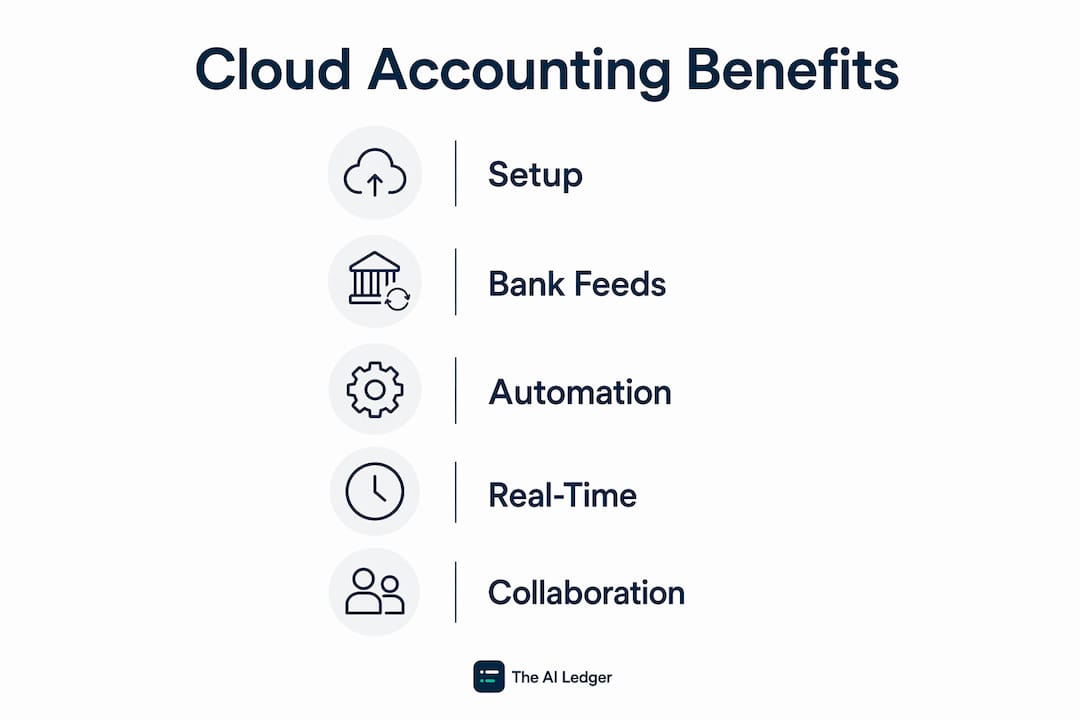
- Real-time cashflow visibility from any device
- Automated bank feeds that cut manual data entry
- Simultaneous access for you, your bookkeeper, and your accountant
- Automatic software updates and provider-managed backups
- Built-in support for Making Tax Digital workflows
Table of Contents
- How does cloud accounting actually work?
- How does cloud accounting differ from traditional desktop software?
- What core features should you expect from cloud accounting software?
- What are the practical benefits of cloud accounting for UK businesses?
- What does cloud accounting typically cost?
- What security and compliance checks matter before moving to the cloud?
- Which businesses benefit most from switching, and when should you move?
- What are the real limitations of cloud accounting?
- Which cloud accounting platforms do UK businesses use?
- Practical adoption tips from accountants
- Key takeaways
- Why cloud accounting is the baseline, not the upgrade
- Find and compare cloud accounting tools in 30 seconds
- Useful sources
How does cloud accounting actually work?
Your financial data is stored on remote servers run by the software provider, not on a hard drive under your desk. You log in through a web browser or mobile app, and everything you need is there: your ledger, invoices, bank transactions, and reports.

The engine behind most of the automation is the bank feed. Your business bank account connects directly to the software, and transactions import automatically, usually within 24 hours. You categorise them, set rules for recurring items, and the software handles the rest. Reconciliation that once took a weekend at month-end becomes a ten-minute daily task.
Integrations extend that automation further. Open APIs let payroll providers, payment processors, point-of-sale systems, and expense capture apps connect directly to your ledger. When a customer pays an invoice through Stripe, the entry appears in your books without you touching a keyboard. For a practical breakdown of what those accounting software integrations look like in practice, The AI Ledger has a dedicated guide worth bookmarking.
Real-time syncing means every user on the account sees the same dataset simultaneously. Your accountant in Manchester and your bookkeeper in Bristol are working on the same live figures, not emailing different versions of the same file back and forth.
Pro Tip: Internet connectivity is the one practical single point of failure in cloud accounting. Before committing to a platform, check whether it offers a mobile app with offline capability or cached data, so a patchy connection does not bring your bookkeeping to a halt.
How does cloud accounting differ from traditional desktop software?
The fundamental difference is where your data lives and who looks after it. With desktop software, the data sits on one machine, updates are manual, and sharing files means emailing exports or passing USB drives around. Cloud accounting removes all of that friction.
| Dimension | Cloud accounting | Desktop/on-premises |
|---|---|---|
| Access | Any device, any location, via browser or app | Only the machine where software is installed |
| Updates | Automatic, included in subscription | Manual, often at extra cost |
| Backups | Provider-managed, continuous | Your responsibility |
| Collaboration | Multiple users, simultaneous, real-time | Typically single-user or complex file-sharing |
| Cost shape | Monthly or annual subscription | Upfront licence plus periodic upgrade fees |
| Scalability | Add users and modules as you grow | New purchase or upgrade often required |
Real-time collaboration is the change that practitioners notice most. Version-control headaches, where two people have edited different copies of the same file, simply disappear.
Desktop software still makes sense in a narrow set of circumstances:
- Very limited or unreliable internet connectivity (rural locations with poor broadband)
- Bespoke legacy integrations that have no cloud equivalent
- Highly regulated environments with strict data-residency rules that a cloud provider cannot meet
For the vast majority of UK sole traders and small businesses, those exceptions do not apply.
What core features should you expect from cloud accounting software?
Modern cloud accounting platforms share a common feature set. Knowing the names helps you evaluate products without being dazzled by marketing copy.
Invoicing and payment capture. Create and send invoices directly from the software, track payment status, and accept online payments. Some platforms generate recurring invoices automatically, which matters for subscription-based businesses.

Automated bank reconciliation. The software matches imported bank transactions to invoices and bills, flagging anything it cannot match. Rules you set for regular suppliers mean most transactions reconcile without you touching them.
Real-time dashboards and reporting. Live cashflow, profit and loss, aged debtors, and VAT summaries are available at any moment, not just at month-end. That shift from historical batch reporting to continuous monitoring is one of the biggest practical changes cloud accounting brings.
Multi-user access and permissions. You control who sees what. Your bookkeeper might have full edit access; a business partner might have read-only reporting. Your accountant gets their own login without needing your password.
Integrations via APIs. Cloud platforms connect to payroll providers, expense capture tools like Dext or AutoEntry, ecommerce platforms, and CRMs. The quality of those integrations varies considerably between providers. For ideas on what accounting workflow automation looks like once integrations are live, The AI Ledger's automation guide covers practical examples.
Pro Tip: Do not just check whether a platform lists an integration. Test it. A native, two-way integration is very different from a one-way data export that still requires manual steps. Ask the provider specifically how the payroll or payment integration works before you sign up.
What are the practical benefits of cloud accounting for UK businesses?
The headline benefits translate into concrete time savings and better decisions. Here is what that looks like in practice.
Automation of bookkeeping grunt work. Bank feeds reduce manual data entry significantly. Subscription scalability means you add users or modules as the business grows, without buying new software. For practices looking to grow using these tools, The AI Ledger's guide on growing a bookkeeping practice with automation is directly relevant.
Real-time cashflow visibility. A sole trader using cloud accounting can check their cash position on a phone between client meetings. A micro-business owner can see outstanding invoices and upcoming bills in one dashboard, rather than waiting for a monthly report from their accountant.
Faster month-end and improved accuracy. Because transactions are imported and categorised daily rather than keyed in at month-end, errors are caught earlier and the close process is shorter. Practitioners note that migration pitfalls are mainly process and data quality issues rather than software bugs, which is why clean data hygiene from day one pays dividends.
Improved collaboration with accountants. Your accountant logs in, sees your live books, and can answer questions or spot issues without a file transfer. That alone removes a significant amount of back-and-forth from most client relationships.
Three brief UK scenarios:
- Sole trader (freelance consultant): Connects their business current account, invoices clients directly from the app, and has their accountant review quarterly VAT returns without a single spreadsheet being emailed.
- Micro-business (five employees): Runs payroll through an integrated provider, reconciles bank transactions each morning in under ten minutes, and checks cashflow on a dashboard before approving any supplier payments.
- Small firm (growing team): Adds users as headcount grows, connects an expense capture app for staff receipts, and uses automated reporting to give directors a weekly P&L without the finance team spending hours compiling it.
What does cloud accounting typically cost?
Cloud accounting is sold on a subscription basis, usually monthly or annually, with annual plans typically offered at a discount. The headline price is rarely the full picture.
Common pricing variables to watch:
- Subscription tier: Entry-level plans cover invoicing and bank reconciliation; higher tiers add multi-currency, advanced reporting, or project tracking.
- Per-user fees: Some platforms charge per additional user above a base allowance; others include unlimited users at a higher flat rate.
- Payroll add-ons: Payroll is almost always a separate module with its own monthly fee, often charged per employee.
- Third-party connectors: Some bank feeds or integrations require a paid connector that is not included in the base subscription.
- Accountant access: Most platforms offer a free accountant login, but confirm this before assuming it.
Total cost of ownership is the right frame for comparison. A platform with a lower headline price but paid bank feeds, a paid accountant login, and a paid payroll module can easily cost more than a competitor with a higher base price that bundles those features.
Pro Tip: Before comparing platforms on price, list every module you actually need: bank feeds, payroll, expense capture, multi-currency, and accountant access. Price each platform against that specific list, not the advertised starting price.
For a deeper look at what automation investments actually return, The AI Ledger's guide on accounting automation ROI walks through the numbers.
What security and compliance checks matter before moving to the cloud?
Security is the concern most often raised by businesses considering cloud accounting, and it is largely a misplaced worry. Reputable cloud providers use enterprise-grade encryption, continuous automated backups, and professional data centres with physical and digital security that most small businesses could not replicate locally. A spreadsheet on an unencrypted laptop is far more vulnerable than data held by a major cloud accounting provider.
That said, you should verify specific controls before committing to any platform:
- Encryption: Data should be encrypted both in transit (TLS) and at rest.
- Backups: Confirm backups are automatic, frequent, and stored in geographically separate locations.
- Data centre region: For UK businesses, check whether data is stored within the UK or EEA, which matters for UK GDPR compliance.
- ISO certifications: Look for ISO 27001 (information security management) as a baseline standard.
- Access controls and audit logs: Multi-factor authentication should be available; audit logs let you see who accessed or changed what and when.
- Making Tax Digital compatibility: Confirm the platform supports MTD for Income Tax workflows and can submit VAT returns directly to HMRC or via a compatible bridging tool.
| Security dimension | What to check |
|---|---|
| Encryption | TLS in transit; strong encryption at rest |
| Backups | Automatic, frequent, geographically distributed |
| Data residency | UK or EEA data centres for UK GDPR |
| Certifications | ISO 27001 as a minimum |
| Access controls | MFA available; role-based permissions |
| Audit logs | Full access and change history available |
Understanding cloud security shared responsibility is worth a few minutes of your time: the provider secures the infrastructure, but you are responsible for access controls, user permissions, and keeping login credentials safe. For higher-risk businesses, reviewing your provider's logging and monitoring capabilities is a sensible extra step.
Pro Tip: Enable multi-factor authentication on every user account from day one. It is the single most effective control you can apply on your side of the shared responsibility model.
Which businesses benefit most from switching, and when should you move?
Cloud accounting suits most UK businesses, but some gain more than others. The profiles that see the fastest return:
- Sole traders and freelancers who need to invoice, track expenses, and file VAT returns without a dedicated finance function
- Micro-businesses with remote or hybrid teams where multiple people need access to the same books
- Businesses with high transaction volumes where manual data entry is a genuine time drain
- Firms that work closely with an accountant or bookkeeper and want to remove file-transfer friction
- Any business within scope of Making Tax Digital that needs digital record-keeping to comply
A realistic adoption timeline runs across three phases:
- Preparation (weeks 1–2): Tidy your existing data, reconcile any outstanding transactions, and confirm which bank accounts and integrations you need to connect.
- Migration (weeks 3–4): Import opening balances, connect bank feeds, set up users and permissions, and configure your chart of accounts.
- Stabilisation (weeks 5–12): Run the new system alongside your old records for at least one month, validate reconciliations, and train any staff who will use the platform.
Pre-migration checklist:
- Reconcile all bank accounts and clear outstanding items in your current system
- Export a full trial balance and aged debtor/creditor reports as a reference point
- List every bank account, credit card, and payment processor you need to connect
- Identify all integrations required (payroll, expenses, ecommerce, CRM)
- Confirm your accountant's login requirements with the new platform
- Back up your existing data before you begin
What are the real limitations of cloud accounting?
Cloud accounting is not a magic fix, and a few persistent myths are worth correcting directly.
Myth: Cloud accounting is automatically error-free. The software automates categorisation and reconciliation, but it works with the data you give it. Duplicate transactions, miscategorised entries, and incorrect opening balances all produce inaccurate reports. Automation amplifies good data hygiene and bad data hygiene equally.
Myth: Cloud accounting is less secure than desktop software. As covered above, the opposite is generally true for small businesses. A local hard drive with no encryption and no offsite backup is a far greater risk than a properly certified cloud provider.
Myth: Cloud accounting is only for large businesses. Subscription pricing means a sole trader can access the same enterprise-grade security and automation as a 50-person firm, at a fraction of the cost.
Real limitations worth taking seriously:
- Internet dependency: No connection means no access. For businesses in areas with unreliable broadband, this is a genuine operational risk.
- Data hygiene requirements: The automation only pays off when reconciliation rules are kept current and exceptions are reviewed regularly.
- Migration complexity: Moving from a legacy desktop system with years of history is not always straightforward. Messy historical data takes time to clean up.
- Vendor lock-in risk: Switching platforms later can be cumbersome if your data is not easily exportable in standard formats.
Pro Tip: Run your old system and new cloud platform in parallel for at least one full month before switching off the old one. Validate that opening balances match, reconciliations agree, and VAT figures align. Catching a discrepancy at week five is far less painful than discovering it at year-end.
For a broader look at the process bottlenecks that cloud migration often surfaces, The AI Ledger's guide on common accounting workflow bottlenecks is a practical companion read.
Which cloud accounting platforms do UK businesses use?
Four platforms dominate the UK market. Each has a distinct character, and the right choice depends on your business size, the integrations you need, and how closely you work with an accountant.
-
Xero: Strong app ecosystem with hundreds of third-party integrations, and widely used by UK accountants and bookkeepers. Bank feeds connect to most major UK banks. Payroll is available as an add-on. Well-suited to micro-businesses and small firms that want flexibility and a large partner network.
-
QuickBooks Online: Broad feature set across its tiers, with solid invoicing, expense tracking, and reporting. Connects to UK banks via open banking. Payroll is available as a separate module. A good fit for businesses that want a single platform covering most functions without heavy reliance on third-party apps.
-
Sage Business Cloud Accounting: Particularly strong for businesses already in the Sage ecosystem, with good VAT and Making Tax Digital support. UK bank feeds are well-supported. Payroll integration with Sage Payroll is a natural pairing for businesses that need both. Tends to suit businesses that value familiarity with Sage's interface and UK-specific compliance features.
-
FreeAgent: Designed specifically for freelancers, sole traders, and micro-businesses. Straightforward interface, built-in self-assessment tax estimates, and direct HMRC integration for VAT returns. Often bundled free with certain NatWest, Royal Bank of Scotland, and Mettle business accounts, which makes it a low-friction starting point for sole traders.
All four support Making Tax Digital for VAT and are compatible with the MTD for Income Tax rollout. Use free trials to test the interface before committing, and use The AI Ledger's 30-second tool finder to shortlist platforms matched to your specific tasks and practice size.
Practical adoption tips from accountants
The software is the easy part. The process change is where most migrations succeed or stumble. Practitioners consistently point to the same set of steps that separate a smooth go-live from a painful one.
Before you go live:
- Reconcile every bank account and clear all outstanding items in your current system
- Agree opening balances with your accountant before importing anything
- Set up bank feeds as the very first task after creating your account; everything else depends on them
- Configure your chart of accounts to match your reporting needs, not just the default template
30/60/90-day plan:
- Days 1–30: Connect bank feeds, import opening balances, set up users and permissions, and process your first month of transactions in the new system while keeping the old one running.
- Days 31–60: Validate reconciliations against your old system, complete your first VAT return in the new platform (in draft, checked against the old system), and train any staff on daily reconciliation workflows.
- Days 61–90: Switch off the old system, establish a daily or weekly review routine, and connect any remaining integrations (payroll, expenses, ecommerce).
Go-live readiness checklist:
- Opening balances imported and agreed with accountant
- All bank accounts and credit cards connected via bank feeds
- User accounts created with appropriate permission levels
- Chart of accounts configured and reviewed
- At least one full reconciliation completed and validated
- VAT settings confirmed and Making Tax Digital connection tested
- Staff trained on daily reconciliation and exception review
Automated financial reporting is one of the first benefits to unlock once the feeds are live and reconciliations are running cleanly. Setting up a weekly P&L and cashflow report to run automatically takes minutes and saves hours each month.
Pro Tip: Connect bank feeds before you do anything else. Practitioners who start with feeds live find the rest of the setup falls into place naturally. Those who set up the chart of accounts first and add feeds later often find they need to remap categories and redo early reconciliations.
Key takeaways
Cloud accounting stores your books on secure remote servers, automates bank feeds and reconciliation, and gives you and your accountant real-time access from any device, making it the most practical upgrade most UK small businesses can make to their financial processes.
| Point | Details |
|---|---|
| What cloud accounting is | Online software hosted on remote servers, accessed via browser or app, with automatic backups and updates. |
| Main benefits | Real-time cashflow visibility, automated bank feeds, multi-user collaboration, and Making Tax Digital readiness. |
| Main risks | Internet dependency, data hygiene requirements, and migration complexity from legacy systems. |
| How to decide | Most UK sole traders and small businesses benefit; on-premises only makes sense with very poor connectivity or bespoke legacy integrations. |
| Where to compare tools | The AI Ledger's directory of 100+ independently reviewed AI and accounting tools, with a 30-second tool finder at ailedger.uk. |
Why cloud accounting is the baseline, not the upgrade
The framing of cloud accounting as an "upgrade" has always struck me as slightly off. For any UK business operating today, particularly one within scope of Making Tax Digital, cloud accounting is not an optional enhancement. It is the baseline from which everything else, automation, AI-assisted reconciliation, real-time reporting, and proper accountant collaboration, becomes possible.
What I find practitioners consistently underestimate is the process change required, not the technology. The software is mature, reliable, and genuinely good across the main platforms. The hard part is persuading a business owner to stop treating their books as a monthly task and start treating them as a daily feed. That shift in habit is where the real benefit lives, and it is also where most migrations fall short. The technology is ready. The workflows often are not.
The other thing worth saying plainly: cloud accounting is not the finish line. It is the foundation. Once your bank feeds are live and your reconciliations are clean, you are in a position to layer in AI tools for data entry, anomaly detection, and automated reporting. That is where the next wave of time savings comes from, and it is what The AI Ledger's directory of 100+ independently reviewed tools is built to help you navigate. Every listing carries an editor score, an honest verdict, and a last verified date. No scores are for sale.
Find and compare cloud accounting tools in 30 seconds

Choosing between Xero, QuickBooks Online, Sage, and FreeAgent is straightforward once you know which features and integrations actually matter for your practice. The AI Ledger's free directory covers 100+ AI and accounting tools, each independently reviewed with an editor score and a verified date on every entry. The 30-second tool finder matches you to the right platform based on your tasks, your existing software, and your practice size. No sponsored rankings, no scores for sale.
Browse the directory and use the tool finder at ailedger.uk, and sign up for the free weekly Friday newsletter to stay across new features, price changes, and AI accounting news in plain English.
Useful sources
- GOV.UK: Making Tax Digital for Income Tax — The primary HMRC resource for MTD requirements, timelines, and compatible software. Referenced in the security and compliance section.
- Xero UK: Cloud accounting software benefits and how it works — Covers bank feeds, backups, and practitioner adoption guidance. Referenced in the how it works, benefits, and adoption tips sections.
- Wolters Kluwer: What is cloud accounting and what are the benefits — UK-focused overview of bank feeds, reporting, and subscription scalability. Referenced in the benefits section.
- GoCardless: What is cloud accounting and how does it work — Explains APIs, integrations, and Making Tax Digital compatibility. Referenced in the core features and compliance sections.
- NetSuite: Cloud accounting basics — Covers total cost of ownership, collaboration, and scalability. Referenced in the costs and benefits sections.
- Ask Accountants UK Ltd: Is cloud accounting safe? — Practical security assessment for small businesses, including encryption and data centre standards. Referenced in the security section.
- Sage: Cloud vs desktop accounting — Practitioner perspective on process change as the main adoption hurdle. Referenced in the limitations and adoption tips sections.