Accounts receivable automation cuts days sales outstanding and manual effort by automating invoicing, payment capture and cash application. Gartner finds that robotic process automation can save finance teams substantial time on repetitive tasks, and that benefit compounds once collections and cash application join the pipeline. Finance, collections and treasury teams see the gains first, through fewer manual touches and cleaner reconciliations.
TL;DR:
- Achieving a high touchless match rate and native ERP integration is crucial for realizing quick ROI from accounts receivable automation.
- Starting with a small pilot in a limited region or customer segment allows validation of DSO reductions and process efficiencies before full deployment.
- Proper data cleaning, clear dispute rules, and realistic expectations of automation outcomes are essential to prevent failures and manage project risks.
- Monitoring KPIs like DSO, days to cash, and effort saved during the pilot helps measure success and justify scaling efforts.
- Independent comparison tools and vendor references are vital to accurately assess real-world automation performance, avoiding inflated claims.
Table of Contents
- What are the benefits of accounts receivable automation?
- How does accounts receivable automation work end to end?
- Which features matter most in AR automation platforms?
- How do you build an implementation roadmap for AR automation?
- What criteria matter when choosing an AR automation vendor?
- What does the integration and technical checklist look like?
- Which metrics prove that AR automation is working?
- What common pitfalls slow down AR automation projects?
- Why do independent directories and editorial evidence matter here?
- Realistic expectations: what actually matters when you automate AR
- Find your next AR automation tool through The AI Ledger
- Sources
What are the benefits of accounts receivable automation?
The case for AR automation rests on measurable operational change, not vague promises about efficiency. Invoices go out faster because generation and delivery happen the moment an order is fulfilled, rather than waiting for someone to batch them at month end. Payment capture speeds up too, particularly where digital channels replace cheques and manual bank reconciliation.
Days sales outstanding is the metric most finance directors watch first. The AFP frames automated AR as a way to shorten DSO and reduce errors when it comes with proper controls, and Wise reports that automation speeds invoicing and simplifies cross border collections for businesses trading internationally.
Beyond speed, the practical benefits stack up:
- Fewer manual keying errors, because data flows from order to invoice without re-entry.
- A cleaner audit trail, since every reminder, payment and adjustment is timestamped and logged.
- Better cash flow forecasting, because real-time payment status replaces end-of-week spreadsheet updates.
- A better customer experience, delivered through self-service portals and clearer, more consistent communications.
- Less pressure to add headcount as invoice volumes grow.
Pro Tip: Track your DSO trend for three months before automating anything. Without a real baseline, you cannot prove the improvement, and finance directors love a number they can defend in the board pack.
Vendor literature often cites DSO reduction claims, but actual outcomes vary by invoice volume and customer mix. Overall, analyst and practitioner sources indicate that automation generally shortens the invoice-to-cash cycle.
How does accounts receivable automation work end to end?
AR automation is not one tool doing one job. It is a chain of connected steps, each removing a manual handoff that used to slow cash down.
- Invoice generation and delivery. Invoices are created from order or contract data and sent through the channel the customer actually uses, whether that is email, EDI, a payment portal or a PDF captured through optical character recognition for legacy formats.
- Payment capture. Customers pay through card, direct debit, bank transfer or a portal link, and the system captures remittance data alongside the payment itself rather than leaving finance to guess which invoice it settles.
- Cash application. Payments get matched to open invoices using rules-based logic first, with AI-assisted matching stepping in for partial payments, short pays or unclear references.
- Reconciliation. Matched cash flows into the general ledger automatically, closing the loop between the bank feed and the receivables subledger.
- Dunning and exception handling. Automated reminders escalate by risk and age, while genuine disputes get logged and routed to a human collector rather than chased blindly.
Cross-border receivables add complexity here. The World Bank's remittance data shows how payment costs and timings vary by corridor, which is exactly why structured remittance capture matters more than a prettier invoice template when a business collects from customers abroad.
Which features matter most in AR automation platforms?
Not every feature moves the needle equally. Some capabilities decide whether the whole programme pays for itself within a year, and some are just nice extras.
- Touchless match rate. The percentage of payments applied to invoices without human intervention is arguably the single best predictor of ROI.
- Automated dunning with prioritised worklists. Risk-scored reminder sequences that put the highest-value, highest-risk accounts in front of collectors first, rather than working alphabetically.
- ERP and GL connectors. Native or well-documented API integrations that don't require custom middleware for every update.
- Customer self-service portals. A place customers can view invoices, raise disputes and pay directly, which cuts inbound query volume.
- Configurable reporting and forecasting. Dashboards that show cash expected, not just cash collected.
Pro Tip: Ask any vendor for their actual touchless match rate on a customer with a similar invoice profile to yours, not their headline marketing number. The gap between the two is usually where the real implementation effort hides.
How do you build an implementation roadmap for AR automation?
A pilot-first approach beats a big-bang rollout almost every time, mainly because AR automation touches customer-facing communication, and mistakes there are visible and awkward to unwind.
- Baseline the current state. Record DSO, average touches per invoice, and total invoice volume before changing anything.
- Define pilot scope. Pick one business unit, customer segment or region, and set clear success criteria such as a target touchless match rate or a specific DSO reduction.
- Prepare data and integrations. Clean customer and invoice master data, confirm ERP connectors, and map who owns exception handling.
- Plan training and roles. Collectors need to understand the new worklists; customer service needs to know how disputes now get routed.
- Run the pilot and measure early wins. Compare against baseline weekly, not quarterly, so problems surface while they're still small.
- Iterate, then scale. Fix what broke in the pilot before rolling out to the next segment.
| Roadmap stage | Primary output | Typical owner |
|---|---|---|
| Baseline and scope | DSO and touch-point benchmarks | Finance director / controller |
| Data and integration prep | Clean master data, connector tests | Finance systems / IT |
| Pilot execution | Early KPI movement, exception log | Collections lead |
| Scale-up | Full rollout plan, updated SLAs | Finance director |
Guidance from the AFP on getting started echoes this sequencing: measure first, pilot small, then expand once the controls hold up.
What criteria matter when choosing an AR automation vendor?
Procurement conversations go faster when you separate the questions into three buckets: technical fit, operational fit and commercial fit.
- Technical fit. Ask exactly which ERP versions and payment providers the platform connects to natively, and what remains custom-built middleware.
- Operational fit. Ask about implementation timelines, who provides training, and what the support SLA actually guarantees once you're live.
- Commercial fit. Understand the pricing model (per seat, per transaction, or flat platform fee) and ask for a realistic ROI timeline based on your invoice volume, not a generic industry average.
- Security and compliance. Confirm data residency, encryption standards and access control models before any contract is signed.
- References. Ask for a customer with a similar invoice mix and volume, and ask that reference directly about their touchless match rate.
Vendor-stated DSO improvements are common in this space, and platforms like HighRadius and FIS GETPAID describe AI-driven prioritisation and portal automation that can move those numbers meaningfully. Treat those figures as illustrative rather than guaranteed, since outcomes shift with your own customer mix and data quality.
What does the integration and technical checklist look like?
Before go-live, IT and finance need to close out a short but non-negotiable list of technical dependencies.
- ERP and general ledger mapping, with master data cleaned of duplicate or dormant customer records.
- Payment provider readiness, including confirmation that remittance formats are captured, not just payment totals.
- Access controls and audit logging configured so every automated action is traceable.
- Monitoring and alerting for failed matches or integration errors, so nothing sits unnoticed for a week.
- A documented fallback manual workflow for the inevitable day the integration goes down.
Skipping the fallback step is a common false economy. Systems fail occasionally, and a team with no manual process ends up chasing cash by memory.
Which metrics prove that AR automation is working?
Three KPIs carry most of the weight: DSO, touchless match rate, and days to cash. DSO shows the overall trend; touchless match rate shows how much manual effort has actually been removed; days to cash shows how quickly payment turns into applied, reconciled cash rather than sitting in a suspense account.
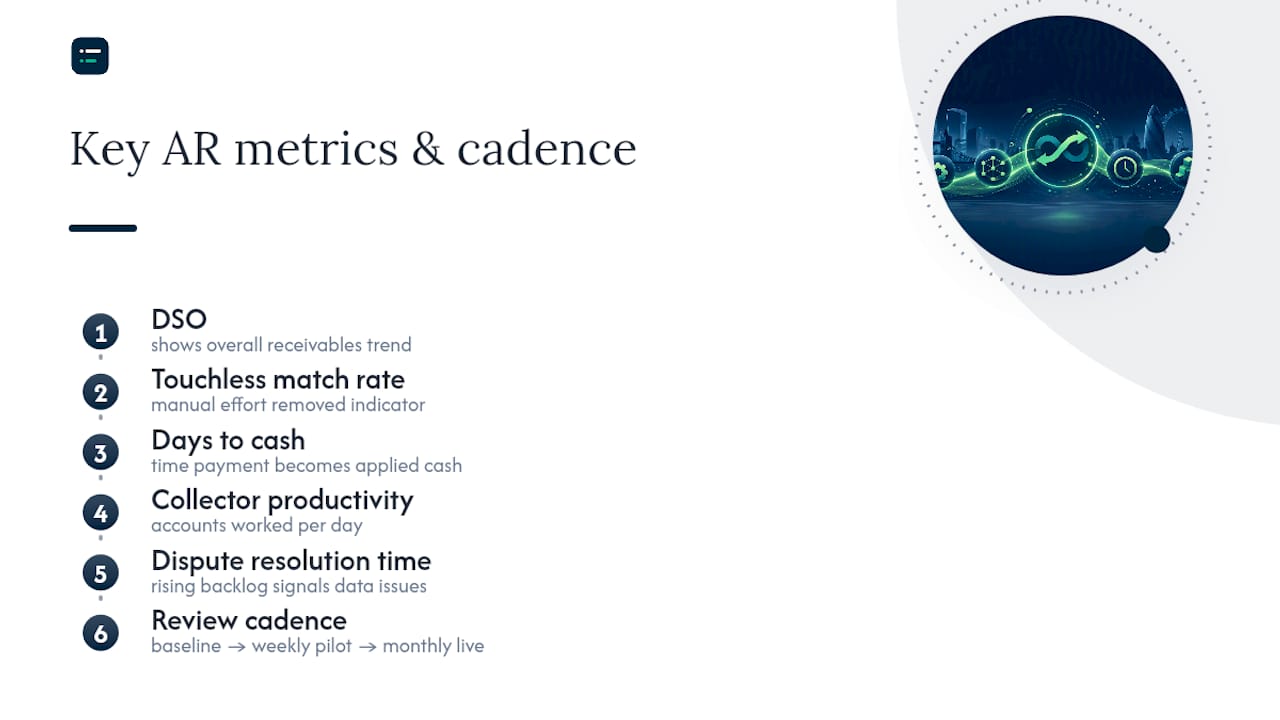
Operational metrics matter too. Track collector productivity (accounts worked per day) and dispute resolution time, since a rising dispute backlog often signals a data quality problem upstream, not a collections problem.
Set your baseline before the pilot, then review weekly during the pilot and monthly once live. A simple dashboard beats a complex one that nobody opens.
What common pitfalls slow down AR automation projects?
Most AR automation failures trace back to a handful of repeatable mistakes.
- Poor master data. Duplicate customer records and inconsistent invoice references break matching before it starts.
- Automating everything at once. Teams that skip exception handling end up with a pile of unresolved edge cases nobody owns.
- Tone-deaf dunning. Automated reminders that ignore customer history or payment terms damage relationships faster than a manual chaser ever would.
- Underestimating integration effort. ERP connectors rarely work perfectly out of the box; budget time for testing, not just licensing.
Pro Tip: Write your dispute escalation rules before launch, not after the first angry customer email arrives. A clear rule set turns a fire drill into a routine workflow.
Why do independent directories and editorial evidence matter here?
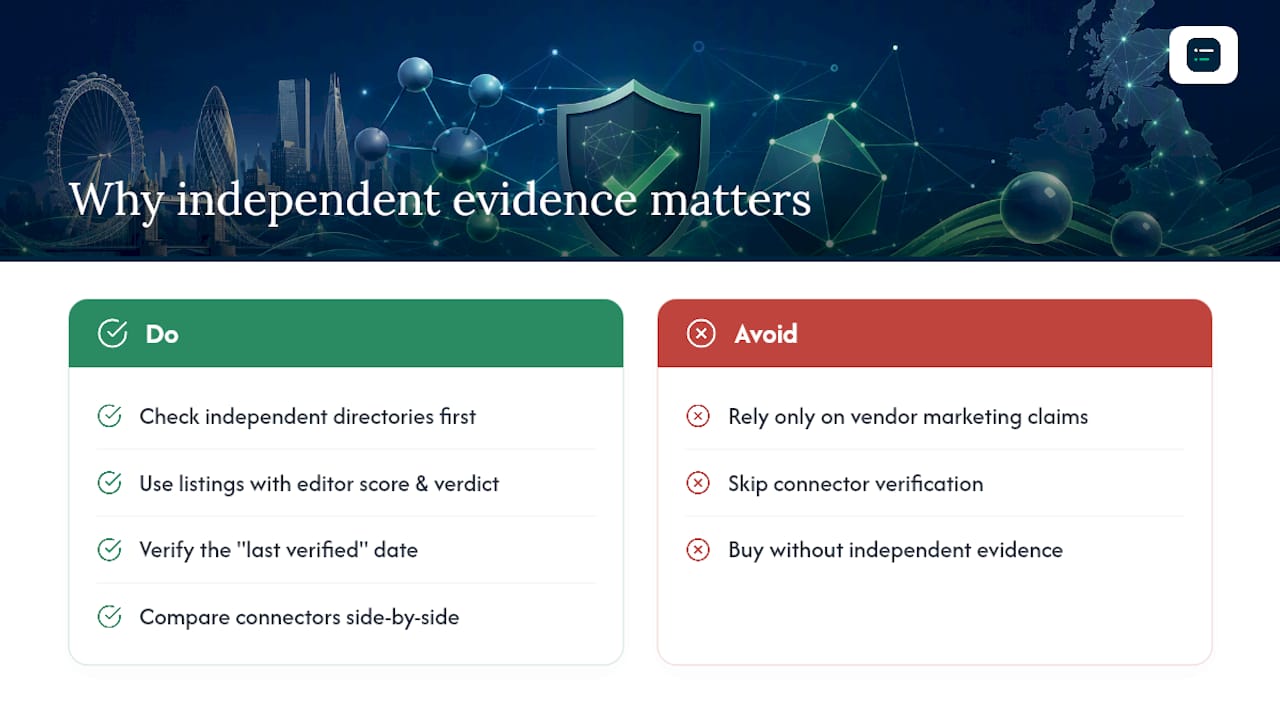
Vendor claims about DSO reduction and touchless matching vary widely, which is exactly why independent evidence matters before you sign anything. The AI Ledger is an independent directory of 100+ AI tools for accountants and bookkeepers, with every listing carrying an editor score, an honest verdict and a last verified date, none of which are for sale.
Independent, side-by-side comparisons cut procurement risk by surfacing which connectors are genuinely verified rather than marketing copy. For related automation context, see guidance on accounts payable automation and accounting software integration.
Realistic expectations: what actually matters when you automate AR
Most vendor decks promise faster ROI than a real pilot delivers, and that gap causes more project abandonment than any technical failure. Prioritise touchless matching and integrations that genuinely remove manual reconciliation before chasing flashier dunning features. Automate reminders carefully. Customers remember a tone-deaf chase email long after they've forgotten a late payment.
— Aaron
Find your next AR automation tool through The AI Ledger
The AI Ledger is the fastest way to shortlist AR automation tools without wading through vendor sales decks pretending to be neutral comparisons. Its 30 second tool finder matches your practice against tools for tasks like reconciliation and data entry, cutting the research time that usually eats the first two weeks of any AR automation project.

Every listing carries an editor score and a last verified date, both independently reviewed and never for sale, so you're comparing real evidence rather than marketing claims. Category guides break down connectors and pricing models side by side, which matters far more than a glossy homepage once you're actually mapping ERP compatibility. Browse the category guides to compare AR platforms against your ERP and payment provider setup, and sign up for the free weekly Friday newsletter to track new features and price changes as they happen. For a practical head start on reminder sequences, InvoiceLabs' guide to setting up payment reminders is worth a read before your pilot begins.
Sources
Analyst and public data cited here come from Gartner, the AFP, Wise and the World Bank remittance portal. For workflow examples, see accounting workflow automation for 2026.