Yes, you can build a fully remote accounting practice, and the failure cases almost always trace back to the same three gaps: weak security, no single source of truth, and no documented processes. Fix those first. Before anything else, lock down a client portal with multi-factor authentication, pick one cloud accounting platform as your system of record, and write SOPs for every recurring task before you scale client numbers. Most firms can get the core setup running in four to eight weeks.
- Secure your client portal and enforce MFA across every login
- Choose a single cloud accounting system as your source of truth
- Document SOPs for reconciliations, month-end close and payroll before you take on more clients
A lean remote setup can run on a modest monthly software and security budget, while a more invested, enterprise-grade build costs considerably more in the first year, according to Verito's cost breakdown for new firms.
Key Takeaways
A remote accounting practice succeeds when security controls, a single source-of-truth ledger and documented SOPs are in place before client volume scales.
| Point | Details |
|---|---|
| Secure the basics first | Enforce MFA, encrypted storage and 3-2-1 backups before adding any new client work. |
| Pick one system of truth | Choose a single cloud ledger and connect every other tool to it through APIs. |
| Document before you delegate | Write SOPs with purpose, tools, responsibilities and checkpoints before outsourcing any task. |
| Track KPIs quarterly | Monitor turnaround time, revision rate and hours per task on a set review cadence. |
| Vet tools independently | Use The AI Ledger's directory and editor scores to compare automation tools before committing. |
Table of Contents
- Remote accounting practice setup: the core tech stack
- What security and compliance controls does remote work require?
- How do you build workflows and SOPs that actually hold up?
- How should you onboard clients in a remote practice?
- Which roles should you hire versus outsource?
- Which automation tools cut the most manual work?
- What does a realistic setup timeline look like?
- Finding and vetting the right automation tools
- How do you plan backups and disaster recovery for a cloud practice?
- How do you train and upskill staff for remote accounting tools?
- What licensing and regulatory rules apply to remote accounting?
- How do you build client relationships without face-to-face meetings?
- Our take on remote accounting practice setup
- Find the right automation tools faster
- Sources
Remote accounting practice setup: the core tech stack
Your stack needs five categories, not fifteen tools. Overbuying software is the single most common mistake in a virtual accounting practice setup, and it usually happens because nobody defined what each category must actually deliver before buying.
- Cloud accounting — your ledger of record (Xero, QuickBooks Online, Sage or FreeAgent). Everything else connects to this.
- Practice management — job tracking, deadlines and staff allocation in one dashboard, not spreadsheets.
- Client portal — secure document exchange and e-signature, replacing email attachments entirely.
- Document capture — OCR-based receipt and invoice extraction feeding straight into the ledger.
- Payroll and reporting dashboards — automated payroll runs and client-facing management accounts.
The integration principle is simple: one system of truth, everything else talks to it through native connectors or an API, never manual re-entry. Set role-based permissions and audit trails from day one so you know exactly who touched what. A solo practitioner might run cloud accounting plus a portal and nothing else; a ten-person firm adds practice management and dedicated payroll software. Our cloud accounting explained guide covers how to pick the right ledger for your practice size.
What security and compliance controls does remote work require?
Client trust is the product you're actually selling, and a single data breach ends a practice faster than losing a big client ever would. The baseline is non-negotiable:
- Multi-factor authentication on every system, no exceptions for "just this once"
- Encrypted storage and a 3-2-1 backup routine (three copies, two media types, one offsite)
- Secure client portals instead of email for anything containing financial data
- VPNs, password managers and annual phishing-awareness training for all staff
- A written incident response playbook, tested at least once a year
When vetting any vendor, ask about SOC 2 or ISO 27001 certification. Neither is a legal requirement, but both are useful signals that a supplier has been independently audited on data handling, according to Safebooks' outsourcing guidance. Check the contract for data ownership clauses and confirm the vendor carries its own cyber insurance.
Pro Tip: Put your security controls in a one-page client-facing summary during onboarding. It reassures nervous clients faster than any verbal explanation ever will.
How do you build workflows and SOPs that actually hold up?
Start with a task audit: list every recurring job, how long it takes, who does it and how often it goes wrong. Classify each task as routine, judgement-based, or client-facing, because that classification decides what gets automated, delegated or kept in-house.
Every SOP needs four fixed components:
- Purpose — why the task exists and what "done" looks like
- Tools and access — exact software, logins and folder locations
- Responsibilities — who owns each step and who reviews it
- Checkpoints — where a second person signs off before it goes to the client
Belay's research on remote operations found that structured process, not physical proximity, is what makes distributed teams reliable and auditable, and firms that document workflows properly often end up with more visibility into staff output than office-based practices ever had, per Belay's remote bookkeeping analysis.
Track turnaround time, revision rate and hours per task monthly, and review the whole set quarterly. Store SOPs in a shared, version-controlled folder, not a stack of individual documents nobody updates. Our workflow template guide has ready-made structures for the most common recurring tasks.
How should you onboard clients in a remote practice?
Remote client service lives or dies on structure, not charm. Build a repeatable onboarding checklist and clients rarely notice they've never met you in person.
- Send a document checklist and portal invite before the first call, not after
- Use e-signature for engagement letters and a consistent folder structure per client from day one
- Set a fixed cadence: monthly management accounts, a quarterly review call, and defined SLAs for turnaround
- Agree escalation rules upfront (who to contact, and by when, if something is late or wrong)
- Package pricing around deliverables rather than hours, since it suits fixed remote workflows better
Our paperless practice setup guide walks through folder structures and portal checklists in more detail.
Which roles should you hire versus outsource?
Keep advisory work and final compliance sign-off in-house, always. Routine, process-driven tasks like reconciliations, accounts payable, accounts receivable and month-end support are the right candidates for outsourcing, according to Safebooks' delegation framework.
- Design roles around outcomes first, then decide who fills them
- Vet candidates with a real task-based assessment, not just a CV review
- Check for at least two to three hours of overlap with your core working hours
- Build a Day 1 checklist covering logins, SOP access and a first supervised task
- Manage against KPIs and dashboard visibility, not hours logged online
Pro Tip: Give every new remote hire one completed SOP to shadow before touching a live client file. It cuts onboarding time significantly and catches gaps in your documentation you didn't know existed.
Which automation tools cut the most manual work?
Four areas deliver the biggest time savings: bank reconciliation, receipt and invoice capture, payroll processing, and recurring client billing. Automate these before anything else, because they consume the most repetitive hours across a typical week.
- Favour API-first tools that connect directly to your ledger over ones needing manual exports
- A middleware layer or central document store keeps data consistent when multiple tools are involved
- Red flags: no audit trail, vague UK compliance documentation, or support that can't explain data residency
- Judge automation vendors on security, extraction accuracy and integration depth, not brand recognition
Our data entry automation guide breaks these categories down further, and Emergent IT's automation services are worth a look if you need implementation support beyond software alone.
What does a realistic setup timeline look like?
A phased build beats a rushed one. Twelve weeks is realistic for a small practice moving fully remote; six weeks is achievable for a solo operator with fewer systems to migrate.
- Weeks 0 to 1 — audit current tasks and tools, prioritise gaps
- Weeks 2 to 4 — secure core systems, migrate to your chosen ledger, draft SOPs
- Weeks 5 to 8 — migrate clients onto the new portal, onboard any new staff
- Weeks 9 to 12+ — measure KPIs, refine SOPs, scale client intake
| Phase | Weeks | Typical cost pointer |
|---|---|---|
| Audit and prioritise | 0–1 | Minimal, mostly staff time |
| Secure systems and SOPs | 2–4 | Lean setup around £1,000/month software and security |
| Migrate clients and staff | 5–8 | Additional onboarding and training hours |
| Measure and scale | 9–12+ | Higher first-year spend for enterprise-level security and tooling |
Finding and vetting the right automation tools
Choosing software is where most of this plan either works or stalls. The AI Ledger runs an independent directory of 100+ AI tools built specifically for accountants and bookkeepers, each carrying an editor score, an honest verdict, and a last verified date, so you're never working from stale information.
- Use side-by-side comparisons to shortlist tools by category before booking a single demo
- The 30-second tool finder matches your task, existing software and practice size to a shortlist
- Editor notes flag integration depth and security posture, the same criteria covered above
- Listings are independently reviewed and scores are never for sale, so rankings reflect actual performance
The free weekly Friday newsletter tracks price changes and new features across the market, useful when your stack review comes round each quarter.
How do you plan backups and disaster recovery for a cloud practice?
Cloud accounting removes the risk of a burst pipe destroying paper ledgers, but it introduces a different risk: total dependency on a small number of vendors staying online and honest with your data. Disaster recovery planning for a remote practice means planning for vendor outages, not just your own hardware failing.
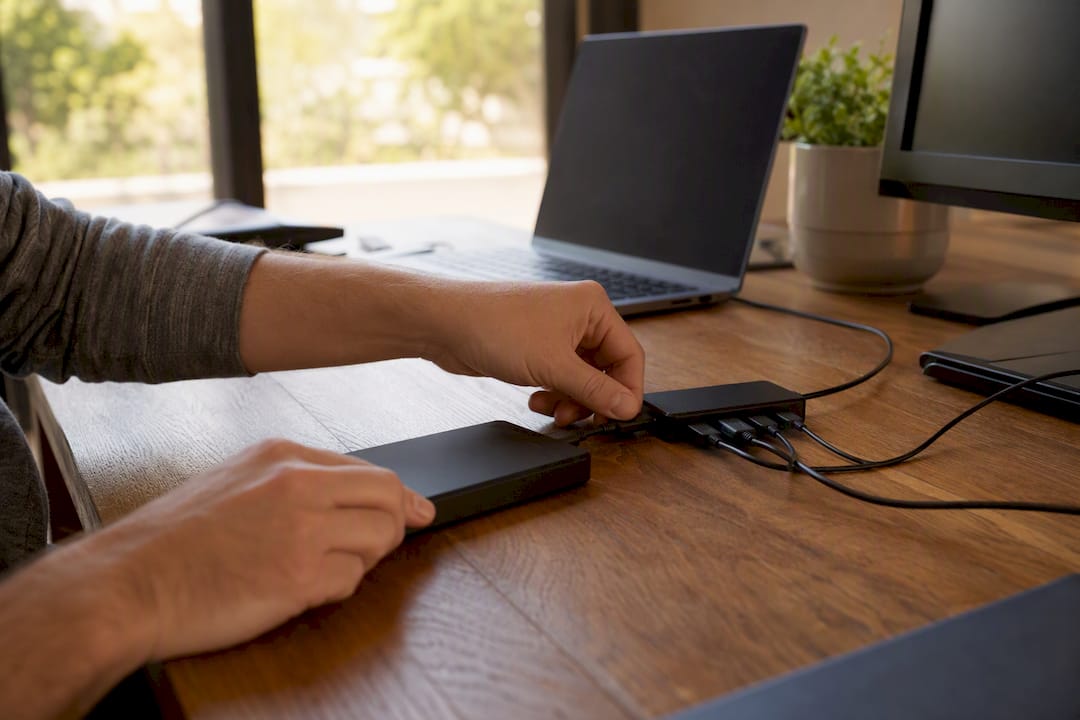
Follow the 3-2-1 rule as a baseline: three copies of critical data, on two different media types, with at least one copy stored off the primary cloud provider's infrastructure. Most cloud accounting platforms handle their own backups, but that protects them, not necessarily you, if your account gets locked, hacked or accidentally deleted. Export critical reports and client files on a scheduled basis into a separate, encrypted archive you control.
Write a recovery runbook that names who does what within the first hour of an outage: who contacts affected clients, who escalates to the vendor, and who has admin access to restore from backup. Test it once a year with a genuine simulated outage, not just a document review, because playbooks that have never been rehearsed tend to fail exactly when they're needed.
Set a recovery time objective for each system category. Your practice management software failing for a day is inconvenient; your payroll system failing on pay day is a client relationship problem. Rank your systems by how much damage an outage does, and put your tightest recovery targets on the ones at the top. Keep a printed, physically accessible copy of your incident contact list, because if your cloud tools are down, your digital contact list might be too.
How do you train and upskill staff for remote accounting tools?
A cloud stack is only as good as the people running it, and most remote practices underinvest in ongoing training after the initial rollout. New software adoption typically follows a curve: fast enthusiasm in week one, followed by reversion to old habits by week four unless someone actively reinforces the new workflow.
Build training around the SOPs you've already documented rather than generic software tutorials. A new hire or an existing staff member switching tools should learn by working through a real, low-risk client file with a completed SOP alongside them, not by watching a vendor's onboarding video in isolation. Pair this with a short competency check before they touch live client data unsupervised.
Set a recurring upskilling slot, even just an hour a fortnight, dedicated to one tool or one workflow improvement at a time. Practices that treat training as a one-off event during onboarding tend to see SOP drift within a few months, where staff quietly revert to workarounds because nobody checked whether the documented process was actually being followed.
Assign an internal champion for each major system, someone who fields quick questions before they become support tickets. This role doesn't need to be senior; it needs to be someone genuinely comfortable in the tool who can explain it in plain terms to a colleague. Review your training approach every time you adopt new automation, since a tool that changes your reconciliation workflow changes the training your whole team needs, not just the person using it directly.
What licensing and regulatory rules apply to remote accounting?
Remote delivery doesn't change your professional body's rules; it just adds a layer of practical complexity to how you prove compliance. If you're a member of a UK body such as ICAEW, ACCA or AAT, your practising certificate and continuing professional development obligations apply exactly the same way whether you work from an office or your kitchen table.
Where jurisdiction gets genuinely complicated is serving clients outside the UK, or hiring staff based overseas. Different countries have different rules on where accounting work can legally be performed and by whom, and those rules change depending on the client's location, the type of work, and your firm's registration. If your practice takes on clients registered outside the UK, or you're considering outsourced staff based abroad, get specific advice from your professional body or a solicitor before assuming your existing licensing covers it, because "the work is done remotely anyway" is not a defence against a jurisdiction's local licensing requirements.
Anti-money laundering registration, data protection obligations under UK GDPR, and professional indemnity insurance all still apply in full to a remote practice, and in some cases scrutiny increases precisely because a firm is remote-first and less familiar to local regulators. Document your compliance evidence as carefully as you document your client SOPs; a regulator asking how you verify client identity remotely deserves a clear, written answer, not an improvised one.
How do you build client relationships without face-to-face meetings?
The accountants who struggle most with remote client service usually don't have a technology problem, they have a communication design problem. Defined cadences beat spontaneous check-ins, and clients trust a predictable rhythm far more than they trust a friendly but irregular one.

Set a fixed schedule for every recurring touchpoint: a monthly management accounts pack, a quarterly video review call, and a same-day acknowledgement policy for any query that comes in through the portal. Clarity about when they'll hear from you does more for client confidence than how they hear from you, according to Belay's research on remote service delivery.
Video calls still matter, even briefly. A five-minute camera-on catch-up before a quarterly review builds more warmth than an hour of email threads, and it's worth protecting that time even when a written update would technically cover the same ground. Practitioners running fully online practices consistently point to reliable video connectivity and a clear communication cadence as the difference between clients who feel looked after and clients who feel processed, based on discussion among practitioners on AccountingWeb's community forum.
Escalation matters just as much as routine contact. Tell clients upfront exactly how a late deliverable or an unexpected issue gets flagged and by whom, so a problem never arrives as a surprise. A client who knows the escalation path rarely panics when something goes wrong; a client who doesn't will assume the worst.
Our take on remote accounting practice setup
Most advice on this topic treats remote accounting as a technology problem, and that's the wrong frame. The firms that struggle aren't the ones with the wrong software. They're the ones that skipped the boring documentation step and assumed good tools would compensate for undefined processes. They don't.
Security gets talked about as a compliance checkbox, but it's genuinely the thing that separates practices clients trust from ones they quietly leave. MFA and encrypted backups aren't exciting, but they're the difference between a minor inconvenience and a practice-ending breach.
If there's one thing worth prioritising above the rest, it's writing SOPs before you scale, not after. Every practice manager we'd expect to be reading this has inherited undocumented processes from a predecessor at some point, and untangling them under client pressure is miserable work. Do it early, while the stakes are low and the client list is manageable.
Where remote-first firms genuinely have an edge is in tool selection. A practice unbound by geography can also be unbound by whatever software its previous office happened to buy, and that's worth treating as an opportunity rather than a chore.
— Aaron
Find the right automation tools faster
Once your audit is done and your SOPs are drafted, the actual bottleneck is usually choosing software, not building process. The AI Ledger is built for exactly that moment: an independent directory of 100+ AI tools for accountants and bookkeepers, with editor scores that are never for sale and a last verified date on every listing, so you're not gambling on marketing copy.

Run your shortlist through the side-by-side comparisons, or use the 30-second tool finder to match your practice size and task, whether that's bank reconciliation, month-end close, payroll or tax prep, to the tools actually worth your budget. The free weekly Friday newsletter keeps you current on price changes and new features without you having to track a dozen vendor blogs yourself. Head to The AI Ledger and run your first comparison today.
Sources
- Set up your ideal remote accounting workflow in 5 steps (Safebooks)
- Remote bookkeeping: best practices for small businesses (Belay)
- How to start an accounting firm in 2026: cost + checklist (Verito)
- Running a practice remotely (AccountingWeb)